

Table of Contents
- What You'll Need Before You Start
- Choose Your Custom Shirt Design Tool
- Step 1: Generate or Upload Your Design
- Step 2: Prepare Print-Ready Artwork for Custom Shirts
- Step 3: Select Garment Styles, Colors, and Sizes
- Understanding Custom Apparel Production Time
- Step 4: Verify Delivery Promises and Choose Rush Options
- Creative Custom T-Shirt Design Ideas for Fast Turnaround
- Frequently Asked Questions
Last Updated: October 10, 2026
What You'll Need Before You Start
Designing custom apparel for fast shipping requires artwork or a design concept (logo, illustration, photograph, or text) and knowledge of your target audience's preferred garment styles.
Vireous.Shop combines AI-powered design tools with traditional customization options to help creators bring visions to life quickly.
Here's what to gather before starting:
- Your design concept or artwork file
- Preferred garment types (T-shirts, hoodies, tank tops)
- Color preferences and size range
- Your delivery deadline
- Budget considerations
Choose Your Custom Shirt Design Tool
AI design tools generate artwork from text prompts instantly, ideal when you have a vision but no design files. Traditional design builders let you upload artwork or choose templates, giving you control over placement, sizing, and colors.
For fast turnaround, consider what matters most:
- Speed of design creation: AI generators create artwork in minutes
- Design approval: Simpler designs get approved faster
- File quality: Print-ready files need specific resolution and format
- Customization control: How much tweaking can you do after initial design?
Vireous.Shop combines both approaches, letting you generate designs via AI prompts or upload artwork. The user-friendly interface minimizes learning time and accelerates production.
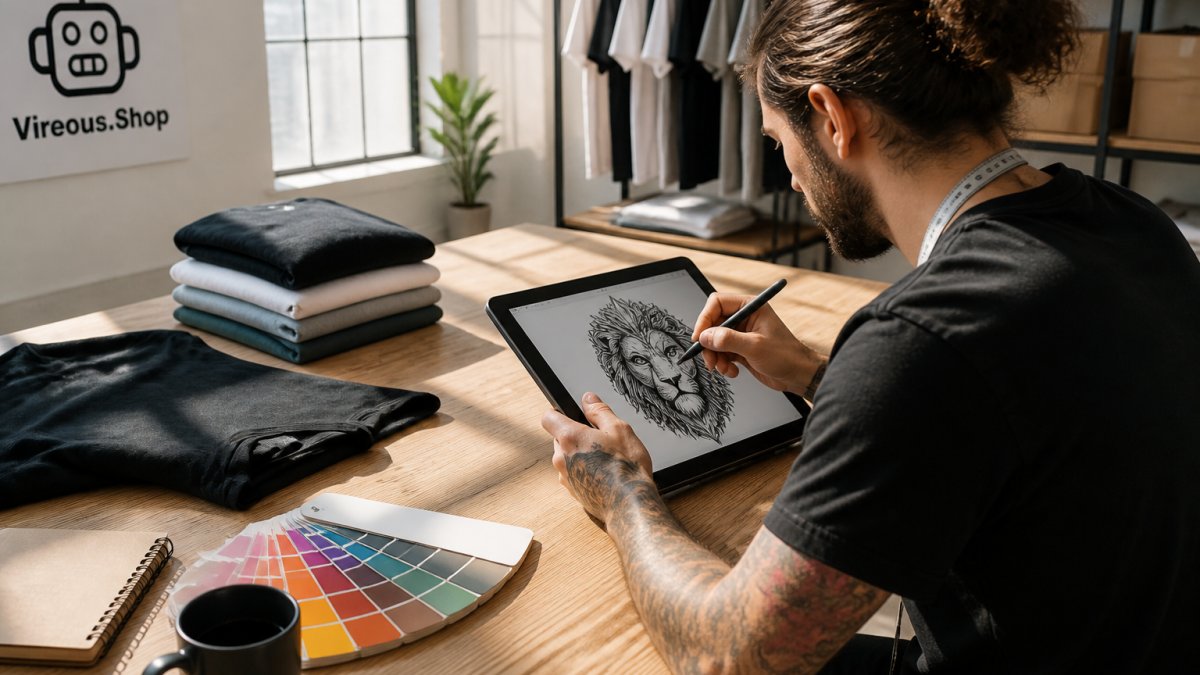
Step 1: Generate or Upload Your Design
Write a detailed design prompt (colors, style, mood, specific elements) for AI generation, or upload high-resolution artwork (minimum 300 DPI) to avoid blurry prints.
Open your design tool, select "Create New Design" or "Upload Artwork," write your prompt or position your file, preview at full size, adjust as needed, and save.
Step 2: Prepare Print-Ready Artwork for Custom Shirts
Print-ready artwork requires specific technical specifications. Non-compliant files halt production while vendors request corrections, delaying your order.
Print-ready artwork for custom shirts needs these specifications:
- Resolution: 300 DPI minimum
- Color mode: CMYK (not RGB)
- File format: PDF, EPS, or high-quality PNG
- Size: Actual print size on the garment
- Margins: At least 0.25 inches from edges
- No embedded fonts: Convert text to outlines
A common mistake is submitting RGB instead of CMYK, RGB looks correct on screen but prints with wrong colors.
Step 3: Select Garment Styles, Colors, and Sizes
In-stock garments (standard T-shirts, long-sleeve, hoodies, tank tops, polos) print immediately. Custom colors and specialty styles take longer. Stick to standard colors (black, white, navy, gray) for fastest turnaround.
For fastest turnaround:
- Choose a standard garment style
- Select from in-stock color options
- Order limited size range
- Avoid specialty finishes or embellishments
Understanding Custom Apparel Production Time
Production time is only half the story. Real delivery depends on when production starts, weekends/holidays, carrier choice, and destination. Many orders miss deadlines because production time is confused with total delivery time.
How Production Time Actually Starts
- Order placed: Friday 3 PM
- Artwork submitted: Friday 4 PM
- Vendor reviews artwork: Saturday (no work) and Sunday (no work)
- Artwork approved: Monday 9 AM
- Production countdown begins: Monday 9 AM
- 24-hour rush production: Completes Tuesday 9 AM
- Handed to carrier: Tuesday 10 AM
- 2-day shipping: Arrives Thursday by 5 PM
Breaking Down the Full Timeline
Artwork Review: Simple designs 2-4 hours; multi-color 4-8 hours; corrections 24+ hours. Friday submissions wait until Monday.
Production Setup and Printing: Single-color 4-6 hours; multi-color/specialty ink 8-12 hours; bulk orders add 2-4 hours.
Quality Check and Packing: 2-4 hours; bulk orders take longer.
Handoff to Carrier: Must reach facility by daily cutoff (typically 2-5 PM). Late finishes delay shipment to next day.
Carrier Transit: Overnight 1 day; 2-day 2-4 calendar days (including weekends); standard 5-7 days. Rural areas and holidays add 1-2 days.
Real-World Example: Event Deadline
You need custom T-shirts for an event on Saturday. Today is Tuesday.
Scenario A: Standard Process
- Tuesday 10 AM: Order placed, artwork uploaded
- Tuesday 2 PM: Artwork approved
- Tuesday 3 PM: Production begins
- Wednesday 3 PM: Production complete (24-hour rush)
- Wednesday 4 PM: Handed to carrier (misses 3 PM cutoff, ships Thursday)
- Thursday-Friday: 2-day shipping in transit
- Saturday morning: Arrives (just in time, but risky)
Scenario B: With Contingency
- Tuesday 8 AM: Order placed with pre-approved artwork
- Tuesday 9 AM: Production begins immediately
- Wednesday 9 AM: Production complete
- Wednesday 10 AM: Handed to carrier, ships same day
- Wednesday-Thursday: 2-day shipping
- Friday by 5 PM: Arrives (buffer day before event)
Weekends and Holidays Compound Delays
Friday approvals delay production until Monday (2-day delay). Holiday approvals may pause production and carrier delivery. Always check vendor holiday schedules and carrier cutoff times before ordering.
Step 4: Verify Delivery Promises and Choose Rush Options
Before committing to a rush order, understand which decoration method is fastest for your order. Setup times vary dramatically by method and directly affect shipping speed.
How to Check Real Delivery Windows
Ask the vendor these specific questions:
- When does the countdown start? (Order placement, artwork approval, or payment confirmation?)
- Are weekends and holidays included in the timeline?
- What happens if you order on Friday? (Does production start Monday?)
- What is the guaranteed arrival date, not just the estimate?
- What is the carrier cutoff time for next-day service?
- What is the backup plan if production runs behind or the carrier delays?
Get answers in writing (email, chat, order confirmation) before paying. You need proof of the promised date for recourse if delivery is late.
Decoration Methods and Their Speed Trade-Offs
Not all printing methods are equally fast. Setup time, garment compatibility, and order quantity all affect which method is fastest for your job.
Screen Printing: 2-4 hours setup per color. Slow for small orders (high per-unit cost), fast for 50+ units. Excellent durability. Best for bulk, simple designs.
Direct-to-Garment (DTG): 15-30 minutes setup. Fast for small orders (1-20 units), slower for 50+ units. Good durability. Best for photo-quality, multi-color designs.
Heat Transfer/Vinyl: 30-60 minutes setup. Fast for small orders, slower for bulk. Fair durability. Best for detailed designs, specialty garments.
Embroidery: 1-2 hours setup. Slow for all sizes. Excellent durability. Best for premium apparel, logos. Not rush-friendly.
Choosing the Fastest Method for Your Order
For 1-10 units: Direct-to-garment (DTG) is fastest. No setup fees, minimal wait time, and photo-quality output. Screen printing would cost more and take longer due to setup.
For 11-50 units: Direct-to-garment (DTG) or heat transfer are fastest. Screen printing becomes competitive if the design is simple (one or two colors), but DTG still has no setup time.
For 50+ units: Screen printing becomes fastest and cheapest. Setup time is amortized across many units. DTG printer throughput becomes the bottleneck, making per-unit time slower.
For photo-quality or multi-color designs: Direct-to-garment (DTG) is the only fast option. Screen printing cannot reproduce photo quality without separating colors into screens, which adds setup time and cost.
For simple logos or text: Screen printing (if bulk) or DTG (if small order). Both are fast; choose based on quantity.
For specialty garments (hats, bags, polos): Embroidery or heat transfer. Screen printing may not work on these materials. Embroidery is durable but slow; heat transfer is faster but less durable.
Rush Production and Expedited Shipping
Rush Production Options
- 24-hour rush: Order approved by noon, ships next morning (requires in-stock garment and simple design)
- Same-day rush: Order approved by 8 AM, ships same day (tight timeline, limited to simple designs)
- Weekend rush: Available for orders placed Friday-Sunday (may cost extra; check availability)
Expedited Shipping Options
- 2-day shipping: Arrives within 2 business days of shipment (can be 3-4 calendar days if weekend is involved)
- 1-day shipping: Arrives next business day (overnight, more expensive)
- Overnight shipping: Arrives next calendar day (most expensive, fastest)
Combining Production and Shipping for Fastest Delivery
- Same-day production (approved by 8 AM) + overnight shipping = 2 calendar days total
- 24-hour production (approved by noon) + 2-day shipping = 3-4 calendar days total
- Standard production (3-5 days) + standard shipping (5-7 days) = 8-12 calendar days total
The cost of rush production and expedited shipping compounds. Budget accordingly and verify the total cost before ordering.
Creative Custom T-Shirt Design Ideas for Fast Turnaround
The best custom apparel designs are simple, bold, and use standard colors. Complex multi-color designs can take longer to print and dry. Intricate details can blur or distort during production.
Fast-turnaround design ideas:
- Single-color logo on chest: Minimal setup time
- Text-based design: "Event Name + Date" or motivational quotes
- Solid color with white text: High contrast, prints cleanly
- Simple icon or symbol: One color, one placement
- Gradient or two-color design: Still manageable within rush timelines
- Back print only: Faster than front and back
- Sleeve print: Quick to set up and execute
Designs to avoid when speed matters:
- Photo-quality full-color prints (require longer drying time)
- All-over prints covering entire garment
- Metallic or specialty inks
- Multiple placement locations
- Fine detail that requires perfect registration
The simplest designs can be efficient to print. A bold logo or text on a standard T-shirt in one color can be processed efficiently.
Frequently Asked Questions
What file format should I use for custom apparel artwork to ensure fast approval?
Use PNG or PDF files with transparent backgrounds for logos and artwork. High-resolution files (300 DPI minimum) can print clearer. Avoid low-quality JPEGs or files under 100 DPI, as these often require revision. Most design tools automatically convert your artwork to print-ready format, but verifying file quality upfront can help prevent approval delays.
How quickly can custom apparel actually be made with rush delivery?
Custom apparel production time varies by decoration method and order complexity. Rush options may be available for in-stock items. Rush delivery may add cost and is only available for certain garment styles and sizes. Verify the specific turnaround time before ordering by checking the estimated in-hand date on the platform, this accounts for both production and shipping.
How do I verify a fast shipping delivery promise before I order custom apparel?
Before checkout, confirm the estimated in-hand date displayed on the order summary. This date should account for production time, processing, and transit. Check whether the order qualifies for expedited shipping based on garment availability, decoration method, and your location. Contact customer service if the timeline seems unclear. If a promise seems vague or too good to be true, ask for written confirmation before committing to the order.
What's the fastest way to get custom T-shirt design ideas approved and into production?
Start with simple, bold designs that don't require multiple revisions. Use in-stock apparel and standard colors to avoid delays. If using AI-powered design tools, generate 2-3 variations upfront so you can approve your favorite. Avoid complex multi-color designs or custom artwork that needs editing. Submit your final design in the correct file format the first time to skip revision cycles. Having your design locked in early can be an advantage.
Designing custom apparel for fast shipping comes down to preparation and clear communication. Start with print-ready artwork, choose in-stock garments, and select rush production options. Vireous.Shop's same-day dispatch and user-friendly design tools eliminate common delays. You get custom merchandise ready to wear or give away in days, not weeks. Learn more about Vireous.Shop's design capabilities and fast fulfillment options