

Table of Contents
- What Are AI Design Tools?
- How to Choose the Right AI Design Tool for Beginners
- Tips for Writing AI Design Prompts
- How to Use AI for Custom Apparel Design
- Free vs. Paid AI Design Software
- AI Tools for Graphic Design and Social Media Graphics
- Key Features to Look for in Design Automation
- Conclusion
Last Updated: August 29, 2026
What Are AI Design Tools?
AI design tools are software platforms that use artificial intelligence and machine learning to automate or enhance the creative design process (nist.gov). These tools generate visual content, layouts, and graphics based on text prompts, templates, or user input, allowing anyone to produce professional-quality designs without formal training. At Vireous.Shop, AI design tools for beginners democratize creativity by removing technical barriers that once required years of experience with software like Photoshop or Illustrator.
The core functionality varies by tool. Some focus on text-to-image generation, converting written descriptions into visual assets. Others specialize in layout automation, template customization, or design iteration. AI design tools combine generative design engines, drag-and-drop interfaces, template libraries, and real-time rendering to make design accessible to non-technical users while offering depth for experienced practitioners.
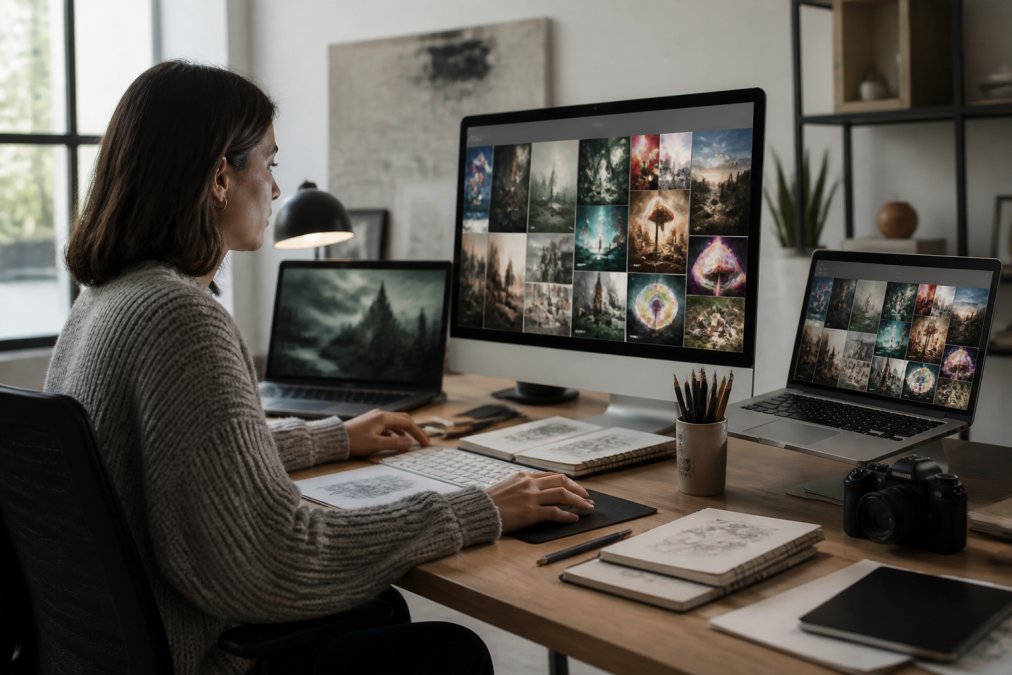
How to Choose the Right AI Design Tool for Beginners
Selecting the right AI design tool depends on your specific needs, skill level, and intended output. Start by identifying your primary use case: are you creating social media graphics, custom apparel, wall art, or branded merchandise? Different tools excel in different areas.
Consider your technical comfort level. Beginners benefit from platforms with intuitive interfaces and extensive template libraries. If you're not comfortable writing detailed prompts, look for tools that offer pre-built design options or guided workflows.
Budget matters, but not always in the way you'd expect. Free tiers can be surprisingly capable, though they typically limit the number of designs or impose branding requirements. For beginners testing the waters, starting with a free tier makes sense before upgrading.
Speed and output quality are equally important. Some tools prioritize rapid generation over polish, while others take longer but produce higher-fidelity results. If you need designs fast for time-sensitive projects, speed matters. If you're creating merchandise you'll sell, quality should drive your choice.
Integration with your existing workflow is worth evaluating. Can the tool connect to your e-commerce platform, social media scheduler, or print-on-demand service? Seamless integration saves time and reduces errors.
| Factor | Why It Matters | What to Look For |
|---|---|---|
| Use case | Different tools optimize for different outputs | Social media, apparel, wall art, or general graphics |
| Interface | Beginners need simplicity; experts need control | Drag-and-drop, templates, or prompt-based |
| Cost | Budget constraints vary widely | Free tier, monthly subscription, or pay-per-design |
| Output quality | Determines usability of final designs | Resolution, detail, consistency with your vision |
| Integration | Reduces workflow friction | API connections, export formats, platform support |
Tips for Writing AI Design Prompts
The quality of your AI-generated designs depends almost entirely on the quality of your prompts. Vague requests produce vague results. Specific, detailed prompts yield designs that match your vision.
Start with a clear primary subject. Instead of "a nice design," try "a minimalist geometric pattern with intersecting triangles in shades of blue and gold." Use descriptive adjectives: bold, subtle, vintage, modern, vibrant, muted. These words guide the AI's aesthetic choices.
Specify style and medium. Are you requesting oil painting, digital art, photography, illustration, or vector graphics? Each style produces dramatically different results. A "watercolor portrait of a woman" looks nothing like a "photorealistic portrait of a woman."
Include context about mood and purpose. Saying "energetic design for a fitness brand" gives the AI different instructions than "calming design for a meditation app." The intended emotion shapes color palettes, composition, and visual weight.

Avoid contradictions. Don't ask for "minimalist but packed with detail." If you want both qualities, explain the balance: "minimalist design with strategic use of texture to add visual interest."
A two-sentence prompt can outperform a paragraph if those sentences are precise. Aim for 2-4 focused sentences that paint a clear visual picture.
Test and iterate. Your first prompt rarely produces the ideal result. Refine based on what you see. If colors are wrong, adjust the color language. If composition feels off, specify layout preferences. This iterative approach teaches you how your chosen tool interprets language.
How to Use AI for Custom Apparel Design
Creating custom apparel with AI tools involves several steps, from initial design generation to final production. Start with design generation by describing the visual asset you want: imagery, colors, text, and composition. Generate multiple variations and select the strongest option. AI writing software.
Next, prepare the design for apparel production. Most custom apparel services require specific file formats, resolution standards, and color profiles. Ensure your file is high-resolution (at least 300 DPI for print), uses CMYK color mode instead of RGB, and fits the specific garment placement you've chosen.
Consider placement and sizing. Will your design cover the entire back of a shirt, or sit as a small chest logo? Different placements require different aspect ratios and dimensions. Plan this before finalizing your design.
Test with a small order before scaling. If you're creating merchandise to sell, order a sample first. See how the design translates from digital to physical fabric. This test run prevents costly mistakes if you need to order hundreds of units.
At Vireous.Shop, we handle the technical requirements for you. Our platform integrates with DALL-E 3 API for custom design generation, then automatically prepares designs for high-quality printing on apparel and wall art. You describe what you want, we generate it, and we handle the production details. Same-day or next-day dispatch means your custom designs ship fast, whether you're ordering a single piece or building a merchandise line.
Free vs. Paid AI Design Software
The choice between free and paid AI design tools depends on your volume, quality requirements, and long-term plans. Free tiers typically include limited monthly generations, watermarks on outputs, or restricted features. For testing whether you like the tool's style and interface, free tiers are invaluable. For casual personal projects, they're often sufficient.
Paid subscriptions remove these limitations. You get unlimited or generous monthly generations, no watermarks, access to advanced features, and priority processing. The ROI depends on volume. If you're generating dozens of designs monthly for commercial use, paid plans quickly pay for themselves.
Some tools use a pay-per-design model instead of subscriptions. You buy credits and spend them on individual designs. This approach suits irregular users who don't need consistent monthly capacity.
Consider what happens to your designs. Free tiers sometimes reserve rights to display your work in galleries or use it for training data (the FTC). Paid plans typically guarantee that designs are yours alone. If privacy or intellectual property matters for your use case, this distinction is critical.
AI Tools for Graphic Design and Social Media Graphics
Creating social media graphics and branded visual content is one of the most common uses for AI design tools. These tools excel at rapid iteration, template customization, and maintaining visual consistency across multiple posts.
Social media platforms have specific dimension requirements. Instagram posts are square, stories are vertical, LinkedIn headers are wide (facebook.com). Good AI design tools understand these constraints and offer templates sized for each platform.
Template libraries accelerate the design process. Instead of starting from scratch, browse pre-designed templates for your industry or aesthetic. Customize colors, text, imagery, and layout to match your brand. For teams managing multiple accounts, this approach ensures consistency while allowing customization.
Batch generation is powerful for social media managers. Create a month's worth of graphics in a single session. Use prompt variations to generate multiple versions of similar designs. This workflow efficiency is why many social media teams adopt AI tools.
For creators building personal brands, AI tools democratize professional-looking graphics. You don't need design experience to create eye-catching posts or hire a designer for every piece of content.
Key Features to Look for in Design Automation
When evaluating AI design tools, certain features separate capable platforms from limited ones.
Prompt Engineering Capabilities: Advanced tools let you write detailed prompts and refine results iteratively. If you value creative control, prompt flexibility matters.
Template Libraries: Extensive, well-organized template collections reduce the time to first result. Larger libraries give you more starting points.
Real-Time Rendering: Seeing results instantly as you adjust parameters accelerates iteration and learning.
Integration Options: APIs and direct connections to e-commerce platforms, social media schedulers, and print services reduce friction.
Customizable Templates: The ability to modify templates without starting from scratch bridges guided workflows and full creative control.
Batch Operations: Generating multiple designs simultaneously or applying changes across dozens of files saves hours.
Quality Settings: Control over resolution, detail level, and output format ensures designs meet your technical requirements.
Collaboration Features: Team workspaces, version control, and approval workflows matter if multiple people contribute.
Asset Management: Built-in organization, tagging, and search functionality prevent designs from becoming lost as your library grows.
Export Flexibility: Support for multiple file formats, color profiles, and sizing options ensures compatibility with your downstream tools.
Conclusion
AI design tools for beginners have transformed creative work from a specialized skill into an accessible practice. Whether you're designing social media graphics, custom apparel, or wall art, these tools accelerate your workflow and expand what's possible without formal training. The key is matching the right tool to your specific use case and learning to write clear, detailed prompts that guide the AI toward your vision.
Start with free tiers to understand how these tools work. Experiment with prompt engineering. Test output quality against your standards. Once you've found your fit, upgrade to paid plans if volume justifies the cost.
The challenge most creators face isn't access to AI design tools anymore, it's choosing the right one and mastering prompt engineering to get designs that actually match your vision. Vireous.Shop solves this by integrating DALL-E 3 API with high-quality production. You generate designs using natural language prompts, and we handle the technical requirements, printing, and fast dispatch. With same-day or next-day shipping on personalized apparel and wall art, your AI-generated ideas become physical products customers can hold. Customize your first design today and experience the future of creative expression.
Frequently Asked Questions
Q: Do I need design experience to use AI design tools for beginners?
A: No. AI design tools are built for non-designers. You describe what you want in natural language, and the AI generates it. Most platforms use drag-and-drop interfaces and customizable templates, so you can adjust colors, text, and layouts without technical skills. Many beginners create professional-quality graphics on their first try by writing clear prompts.
Q: What's the best way to write effective AI design prompts?
A: Be specific about style, mood, and details. Instead of 'a graphic,' try 'a minimalist flat-design logo with geometric shapes in blue and white, modern tech startup aesthetic.' Include references to art styles, colors, composition, and intended use. Start simple, generate a few variations, then refine based on results. The more detail you provide, the closer the output matches your vision.
Q: Can I use AI design tools to create custom apparel and wall art?
A: Yes. Many AI platforms let you generate designs and export them for print-on-demand services. You can create custom t-shirt graphics, hoodies, canvas prints, and posters. Some platforms like Vireous.Shop integrate AI generation directly with production, letting you generate a design using natural language prompts and order finished products with same-day or next-day dispatch.
Q: What are the most important features in an AI design tool for beginners?
A: Look for an intuitive interface, pre-built templates you can customize, real-time rendering so you see changes instantly, and the ability to export in multiple formats. Drag-and-drop editing, text-to-image generation, and responsive layout options are essential. Free trials or freemium tiers let you test before committing. Support for collaboration and asset management helps if you're building a brand.
This article was written using GrandRanker