Last Updated: November 9, 2026
Quick Summary
AI lighting prompts for dark fantasy posters work best when you name one primary lighting mode per prompt, such as chiaroscuro, low key lighting, or rim lighting, plus the light source and its direction. Add volumetric fog or god rays to one plane of depth, then lock the finish with negative prompts against flat lighting and daylight.
- Pick one primary lighting mode per prompt; stacking five lighting terms averages them into mush.
- Name the key light and direction, like single candlelight from below left, instead of dramatic lighting.
- Use volumetric terms to define one plane of depth, usually the midground, and keep the foreground crisp.
- Asking for dark without naming a light source usually returns a gray, evenly lit image.
- Keep a series consistent with a written lighting spec you reuse verbatim, changing only the subject.
Ready to print your dark fantasy poster?Generate custom dark fantasy art from a prompt and order it printed on ready-to-hang canvas.
Create Your Dark Fantasy Canvas
Table of Contents
Why Lighting Decides Whether a Dark Fantasy Poster Works
Light is the whole story in dark fantasy art. A prompt can describe the perfect cursed knight, the perfect ruined cathedral, the perfect spectral forest, and still produce a flat, forgettable image if the lighting language is vague. The single biggest differentiator between a poster people hang and one they discard is how precisely the light was described. AI lighting prompts for dark fantasy posters are not decoration on top of a subject description. They are the mechanism that creates mood, depth, and drama.
Most guides treat lighting as a pile of adjectives. That approach fails because image models respond to relationships: where the light comes from, what it hits, what it misses, and how it scatters. Below, this guide breaks down the keywords, prompt structures, and composition rules that produce poster-ready frames, including the physics behind why certain terms work and the negative prompts that keep results clean.
The Lighting Keywords That Change AI Output
Every lighting keyword in an AI prompt maps to a physical behavior, and understanding that mapping is what separates a controlled result from a lucky one. Chiaroscuro describes the strong contrast between light and dark that gives Renaissance painting its weight; in a prompt, it tells the model to keep large areas in deep shadow while a single light source carves out the subject. Low key lighting pushes the whole frame dark and lets highlights do the storytelling. But why do these terms work? Image models are trained on millions of images with associated lighting descriptions, so they learn statistical associations between words and pixel patterns. When you write "chiaroscuro," the model retrieves patterns of high-contrast, directional light from its training data, not a physical simulation. That's why stacking five lighting terms at once averages them into mush, the model tries to satisfy conflicting patterns. Pick one primary lighting mode per prompt and let supporting terms refine it.
Chiaroscuro and Low Key Lighting
Use chiaroscuro when you want a subject emerging from darkness with sculptural form, and low key lighting when the entire mood should feel heavy and secretive. Both pair well with high contrast and dramatic shadows. A common mistake is stacking five lighting terms at once; the model averages them into mush. Pick one primary lighting mode per prompt and let supporting terms refine it. For a deeper walkthrough of modifiers, see our guide on how to use lighting modifiers in AI art.
Rim Lighting, Backlighting and Glowing Eyes
Rim lighting places a bright edge along the silhouette, separating a dark figure from a dark background. Backlighting pushes the source behind the subject, producing that halo effect that reads as ominous or otherworldly. Add glowing eyes sparingly: two small points of light in an otherwise shadowed face do more work than a fully lit portrait. These three terms together create the classic demon silhouette look that dominates dark fantasy poster design. The physics here is simple: rim lighting simulates a light source behind and slightly to the side of the subject, causing light to wrap around the edge. Backlighting is a stronger version, with the source directly behind, creating a silhouette with a glowing outline. Glowing eyes work because they introduce a secondary, localized light source that draws the viewer's focus. Understanding these mechanics lets you adjust prompts on the fly, if the rim light is too strong, reduce its intensity by adding "subtle rim light" or "faint edge light."
Cinematic Lighting AI Prompts for Poster-Ready Frames
Cinematic lighting AI prompts borrow the grammar of film: a named key light, a motivated source, deliberate falloff, and color grading that unifies the frame. A poster-ready prompt names the source and its direction rather than asking for "cinematic" as a standalone adjective.
-
Name the key light and direction. "Single candlelight from below left" beats "dramatic lighting."
-
Add the fill or its absence. "No fill light, deep shadow on the right side."
-
Specify the color grade. "Desaturated teal shadows, warm amber highlights."
-
Set depth. "Shallow depth of field, background falling into black."
-
Lock the finish. "Ultra-realistic, 8k resolution, fine texture mapping on stone."
A structure like this helps produce consistent results across models. For broader prompt technique, our guide to better AI art prompts covers structure and iteration.
Volumetric Lighting AI Art: Fog, God Rays and Depth
Volumetric lighting AI art is about making light visible as a physical substance. Volumetric fog, god rays, and spectral lighting all describe light scattering through particles, and they are the fastest way to add depth to a flat composition. The trap is overuse: heavy fog in every prompt turns a poster into gray soup. Use volumetric terms to define one plane of depth, usually the middle ground, and keep the foreground crisp. Pair fog with a strong backlighting source so the rays have something to catch. When the atmosphere feels right but the image still reads flat, the problem is usually a missing light source behind the fog rather than too little fog.
Moody Atmosphere Prompt Engineering: Building Tension in Layers
Moody atmosphere prompt engineering works in layers: environment, light behavior, surface response, and color. Build the environment first, then describe how light moves through it, then how surfaces react.
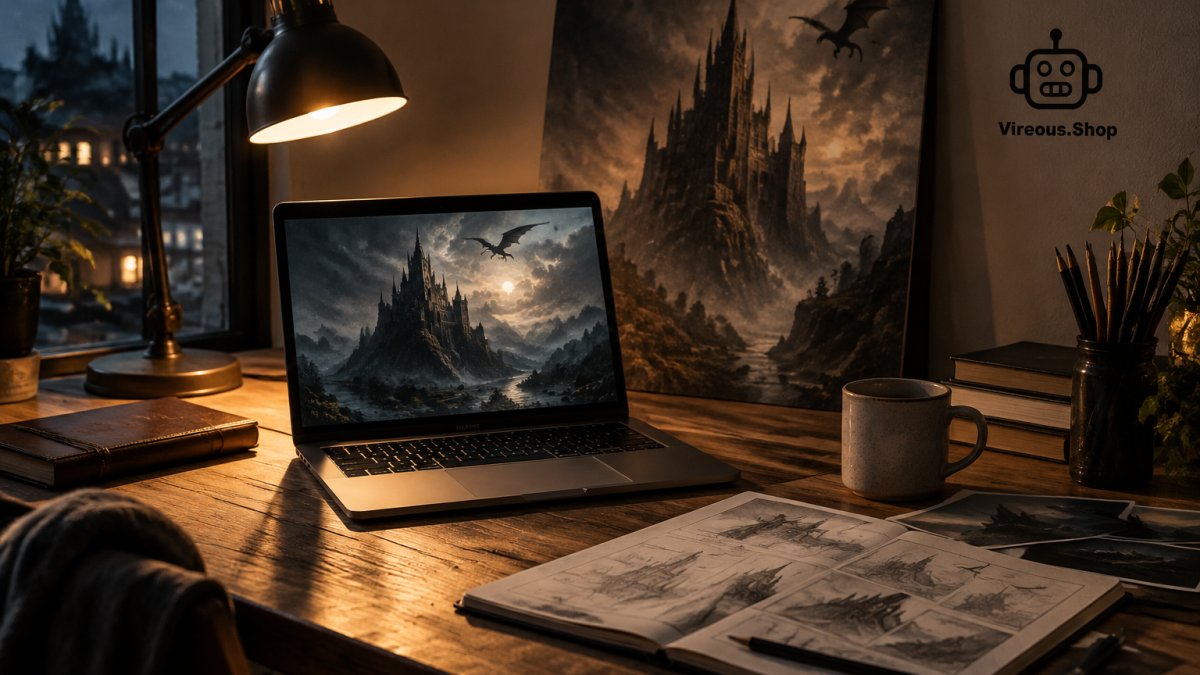 Workflow diagram showing layers used to create a moody dark fantasy poster design on a desk at night.
Surface response terms carry surprising weight. Subsurface scattering makes skin and wax look alive; ambient occlusion deepens the crevices where geometry meets; ray tracing and global illumination tell the model to bounce light realistically between surfaces. A monochromatic or desaturated palette tightens the mood. If you are styling the finished piece for a room, our guide to gothic aesthetic wall decor shows how a dark fantasy print anchors a space.
Negative Prompting and Composition Rules for Dark Fantasy Posters
Negative prompts and composition rules do the cleanup work that positive keywords cannot. Most weak dark fantasy posters fail on two fronts: unwanted brightness creeping into shadow areas, and cluttered framing that fights the subject. But negative prompting is more than a static list, it's a strategic tool to steer the AI away from common pitfalls like cartoonish rendering or over-saturation. For dark fantasy, you want to exclude anything that breaks the mood: bright daylight, flat lighting, and even certain art styles that read as too polished or illustrative.
-
Negative prompt staples: "flat lighting, overexposed, washed out, daylight, bright background, cluttered composition, text, watermark, extra limbs"
-
Composition rules: place the subject off-center, keep one clear focal point, leave negative space for the title area
-
Aspect ratio matters: vertical ratios suit posters and force a stronger vertical composition; wide ratios dilute the drama
-
Consistency check: describe the light source in every prompt of a series so the set reads as one body of work
Watch out: asking for "dark" without naming a light source usually returns a gray, evenly lit image rather than a dramatic one. To prevent cartoonish results, add negative prompts like "cartoon, anime, oversaturated, plastic texture, smooth shading." For over-saturation, include "neon, vibrant, high saturation." These terms tell the model to avoid the statistical patterns associated with those styles. Aspect ratio is another lever: a 2:3 vertical ratio naturally emphasizes height and drama, making it ideal for character posters, while a 16:9 wide ratio can work for landscapes but often requires stronger lighting to avoid a flat, empty feel. When composing, use the rule of thirds, place key elements along the grid lines, and ensure the light source aligns with the subject's position to create depth. Finally, test your negative prompts iteratively: start with a broad list, then remove terms that inadvertently suppress desired details.
Keeping Lighting Consistent Across a Poster Series
Consistency across a series comes from a written lighting spec you reuse verbatim, not from memory. Save your key light direction, color grade, and atmosphere terms in a text file, then change only the subject line between prompts. This is the same discipline character-sheet artists use: fixed lighting, variable pose. Keep the spec short enough to paste without editing, and note the aspect ratio alongside it so every frame in the set matches.
| Element |
Locked Spec Example |
Change Per Poster |
| Key light |
Low left, single source |
Subject only |
| Color grade |
Desaturated teal and amber |
Accent color |
| Atmosphere |
Light volumetric fog, midground |
Scene location |
| Aspect ratio |
Vertical poster format |
Never |
| Negative prompt |
Fixed block, reused |
Never |
Turn Your Best Prompt Into a Canvas Print
A prompt that produces a striking frame deserves better than a camera roll. Turning it into wall art means checking resolution, contrast, and how the darkest shadows will hold on a physical surface. Our guide on preparing AI images for high-quality printing walks through the file checks that prevent muddy blacks on canvas.
Vireous.Shop prints AI-generated artwork on premium satin canvas with a wooden inner frame and metallic mounts on the back, ready to hang for indoor use. If you want a starting point in the dark aesthetic, the Dark Spiritual Meditation canvas print shows how a moody, low key composition translates to a finished piece. Generate your own design from a natural language prompt, and it is printed to order. Orders are backed by our Money Back Guarantee.
 Dark Spiritual Meditation 'Designed by AI' Art Print on Canvas
The gap between a good prompt and a gallery-worthy poster is usually one lighting decision. Start with a single named light source, build the atmosphere in layers, and lock your spec before you generate. Get started with Vireous.Shop and turn your best dark fantasy prompt into a canvas you can hang.
Frequently Asked Questions
What are the best lighting keywords for dark fantasy posters?
Start with chiaroscuro, low key lighting, rim lighting and volumetric fog. These four cover most of the mood work: chiaroscuro sets the contrast, low key keeps the frame dark, rim lighting separates figures from the background, and volumetric fog adds depth. Add backlighting or glowing eyes when you want a focal point. Combine two or three per prompt rather than stacking ten, because too many lighting terms cancel each other out and the model averages them into flat light.
How do I avoid flat lighting in AI image generation?
Flat lighting usually comes from vague terms like dramatic lighting with no direction attached. Name the source and the angle instead: single hard light from the upper left, harsh shadows falling right, or backlit silhouette with a thin rim highlight. Also add a negative prompt for flat lighting, soft even light and overexposed. One strong directional light plus one weak fill reads as depth; two equal lights read as flat.
What is the difference between volumetric and ambient lighting in AI prompts?
Ambient lighting is the general fill that keeps shadows readable, and in prompts it shows up as ambient occlusion or soft diffused light. Volumetric lighting describes light traveling through a medium, so it produces visible fog, god rays and dust shafts. For a dark fantasy poster, use volumetric lighting to build atmosphere and ambient terms sparingly to stop the shadows going pure black. Volumetric lighting AI art tends to look more cinematic because it gives the eye a path through the frame.
Can I print an AI-generated dark fantasy poster on canvas?
Yes. Vireous.Shop prints AI-designed artwork on premium satin canvas with a wooden inner frame and metallic mounts on the back, ready to hang indoors. Canvas prints start at $23.20 for pieces like the Break Up Poetry Dark Photorealism print, and the Dark Techno Event Poster canvas is $23.30. Both come in horizontal and vertical options, so you can match the aspect ratio you generated in. Order the print once the lighting reads correctly at thumbnail size.