

Last Updated: October 25, 2026
Quick Summary
You can sell ai art on print on demand, but the image is only the beginning. The real work happens after you generate it: upscale and clean the file, confirm your generator's commercial terms, follow each marketplace's AI disclosure rules, and build accurate mockups. The binding rule is the strictest one across your generator, the marketplace, and your fulfillment provider.
- Generate several versions and pick one; don't fall in love with the first result.
- Most AI generators output files too small for large prints, so upscale before uploading.
- Keep a log of design name, tool used, date generated, and a screenshot of the terms.
- The binding rule is the strictest one across generator, marketplace, and fulfillment provider.
- Pick a narrow theme you can own and develop a consistent look across your catalog.
Table of Contents
- The Real Workflow: From Prompt to Fulfilled Order
- AI Art Licensing for Commercial Use: What You Need to Know
- AI Art Print Resolution and File Size: Getting Print-Ready Files
- Etsy AI Art Policy and Marketplace Rules for Sellers
- Print-on-Demand Product Mockups for AI Art That Convert
- The Unit Economics: Pricing, Costs, and Realistic Profit
- Standing Out: Differentiation and Avoiding Generic AI Designs
- Start Selling Your AI Art with Vireous.Shop
- Frequently Asked Questions
The Real Workflow: From Prompt to Fulfilled Order
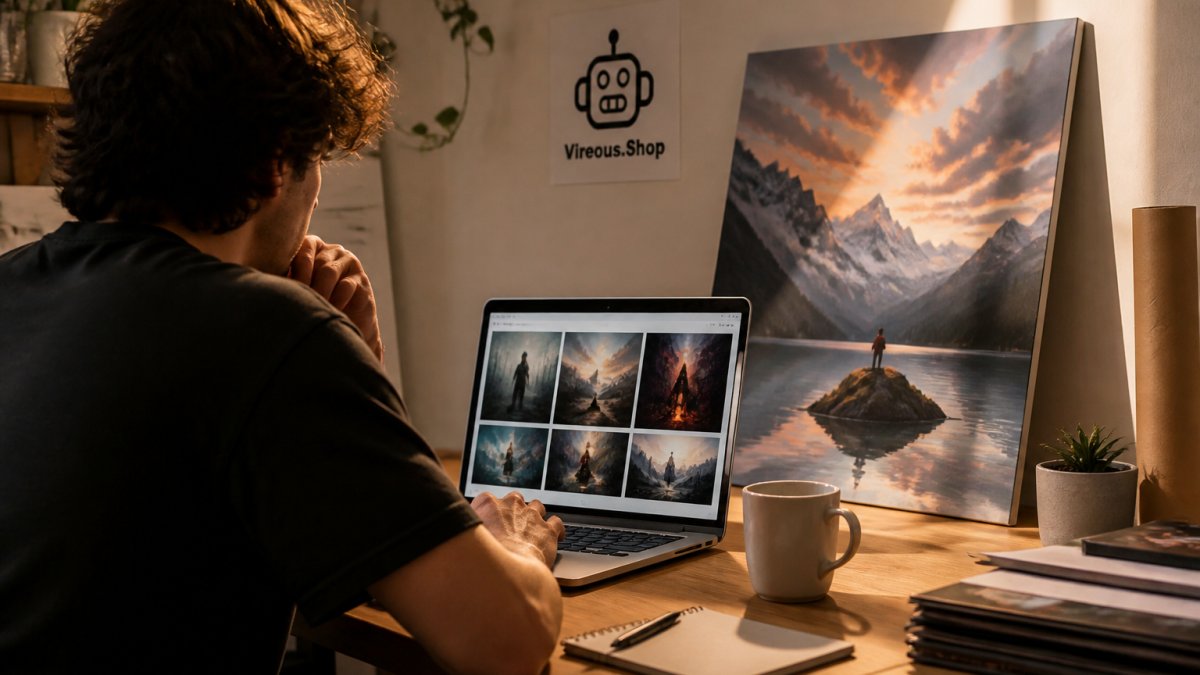
Learning how to sell AI art on print on demand starts with one truth: the image is only the beginning. The real work happens after you generate it. Here is the full path from prompt to package.
Step 1: Generate and Select Your Best Image
Write a prompt that names the subject, style, mood, and color palette. Then generate several versions and pick one. Do not fall in love with the first result. A common mistake is choosing an image that looks striking on screen but has no clear focal point for a canvas or shirt.
Step 2: Upscale, Clean Up, and Prep the File
Most AI image generators output files too small for large prints. Upscale the image, fix stray artifacts, and check edges for odd blending. For a deeper walkthrough, read our guide on how to improve AI image quality for prints.
Step 3: Mock Up, List, and Fulfill
Place your design on a product mockup, write a clear listing, and connect it to your store. Fulfillment should be automatic. When you are ready to grow, see how to scale your AI art business with automation.
| Step | What You Do | Time | Common Mistake |
|---|---|---|---|
| Generate and select | Prompt, generate, shortlist | 30-60 min | Picking the first result |
| Upscale and prep | Resize, clean, check edges | 15-30 min | Skipping upscaling |
| Mock up and list | Mockups, copy, publish | 20-40 min | Weak product photos |
AI Art Licensing for Commercial Use: What You Need to Know
AI art licensing for commercial use is the set of permissions that lets you sell images made by a generator. Rules differ by tool, so check your generator's terms before you list anything.
Some tools grant broad commercial rights. Others restrict sales or require disclosure. Keep a record of which tool made each design. If you plan to license your work to others, our guide on building a portfolio for AI art licensing covers the groundwork.
AI Art Print Resolution and File Size: Getting Print-Ready Files
AI art print resolution and file size decide whether a print looks sharp or soft. Print-on-demand printers expect high-resolution files, and small source images stretch into blurry canvases.
Fix this before you upload:
- Upscale to a high resolution with a dedicated tool
- Save as PNG for sharp edges or JPEG for smaller files
- Check the file at full zoom for artifacts
- Match the file shape to the product shape
If your prints look soft, our breakdown of why custom AI prints look blurry explains the causes and fixes.
Etsy AI Art Policy and Marketplace Rules for Sellers
AI disclosure rules are not one policy, they are three layers stacked on top of each other, and each layer can change independently. The gap most guides miss is treating them as a single checkbox. Here is the layered model, with the questions to answer at each level before you publish a listing.
Layer 1: Your Image Generator's Commercial Terms
Your generator's terms decide whether you may sell the output at all. Read the commercial-use section and look for four things:
- Commercial use granted or restricted. Some tools allow sales; others limit them to certain tiers or prohibit resale of raw output.
- Attribution requirements. A few tools ask for credit in the listing or description.
- Model and style restrictions. Some terms prohibit generating in the style of named living artists or using trademarked characters.
- Output ownership language. Confirm whether you own the output or hold a license to use it.
Keep a simple log: design name, tool used, date generated, and a screenshot of the terms in effect that day. If a policy changes later, your log is your evidence of what applied when you listed.
Layer 2: The Marketplace's AI and Handmade Rules
Marketplaces set their own disclosure and accuracy expectations, and they enforce them through listing removal and account action. Before publishing, answer these for each platform:
- Does the platform require AI disclosure? Some do, some don't, and the wording differs. Follow the strictest interpretation you can find in the seller help center.
- Does the product qualify under the platform's handmade or creativity categories? AI-assisted designs may need a human-editing step to fit.
- Are there prohibited categories? Trademarked characters, celebrity likenesses, and medical claims are common tripwires regardless of how the image was made.
- What are the photo and mockup standards? Listings must show the actual product accurately.
Layer 3: The Fulfillment Provider's Content Rules
Your print-on-demand partner has its own acceptable-content policy, separate from the marketplace's. Check whether it restricts certain imagery, requires you to warrant that you hold rights to the design, or limits products in specific categories. A design that passes the marketplace can still be rejected at fulfillment, which delays orders and triggers refunds.
How the Layers Interact
The binding rule is the strictest one across all three layers. If your generator grants broad commercial rights but the marketplace requires disclosure, disclose. If the marketplace is silent but the fulfillment provider prohibits a category, drop the design. Build your listing checklist around the strictest layer, not the most permissive one.
How Can You Tell When Art is AI-Generated? 'Designed by AI' Art Print on Canvas →
A Pre-Publish Compliance Checklist
- Generator's commercial terms reviewed and logged with date
- Marketplace AI disclosure requirement confirmed in the seller help center
- Product category eligibility confirmed
- Trademark and likeness check completed
- Fulfillment provider's content policy reviewed
- Mockups match the shipped product
Read the Etsy seller policy pages and each platform's seller help center directly, secondary summaries go stale, and the primary policy is what gets enforced. Amazon and other marketplaces publish their own versions, so repeat this checklist for every channel you sell on.
Print-on-Demand Product Mockups for AI Art That Convert
Print-on-demand product mockups for AI art are the images buyers judge before they buy. A flat image file sells poorly. A mockup shows the design on a real canvas, shirt, or card.
- Show the product in a room or on a person
- Use natural light and clean backgrounds
- Include a close-up of the print surface
- Keep colors accurate to the final product
The Federal Trade Commission's advertising guidance is clear that product images must not mislead buyers. Your mockup should match what ships.
The Unit Economics: Pricing, Costs, and Realistic Profit
Most guides stop at "price above your costs." That advice is useless without a worked example. Here is the actual arithmetic per order, production, shipping, marketplace fees, advertising, and refunds, so you can decide whether a design is worth listing before you spend hours on it.
A Worked Example: One Canvas Order
Here is a realistic pattern for a single 16x20 inch stretched canvas sold through a marketplace storefront. Treat these as illustrative figures, not quotes, your fulfillment partner's catalog and your marketplace's current fee schedule will set the real numbers.
| Line Item | Example Amount | Notes |
|---|---|---|
| Retail price | $59.00 | What the buyer pays |
| Production cost | -$22.00 | Canvas print plus fulfillment |
| Shipping charged to buyer | +$8.00 | Often passed through |
| Shipping cost paid | -$8.00 | Usually a wash |
| Marketplace transaction fee | -$3.84 | Commonly a percentage of the item price |
| Payment processing | -$1.90 | Commonly a percentage plus a flat per-order amount |
| Ad spend per order | -$6.00 | Blended across the catalog |
| Refund/defect reserve | -$2.00 | Set aside for reprints and returns |
| Net profit per order | ≈ $23.26 | Before income tax |
The Three Levers That Actually Move Profit
- Production cost. Larger formats and premium garments cost more. A heavier shirt or a gallery-wrapped canvas can double your base cost, so price by product, not by design.
- Ad spend per order. Track it as a real line item. If a design needs heavy advertising to sell, its true margin is lower than the table suggests.
- Refund and reprint rate. Print defects and shipping damage happen. A reserve of a few dollars per order keeps a bad week from wiping out a good month.
Break-Even Math You Can Run in a Minute
Divide your fixed monthly costs (store subscription, design software, ad budget) by your average net profit per order. That is how many orders you need just to break even. If the number is higher than your realistic monthly volume, the catalog is not viable yet, regardless of how good the art looks.
What Realistic Earnings Look Like
A common pattern among new sellers is a small number of designs that carry most of the revenue while the long tail sells rarely. Plan for that distribution: expect most listings to contribute little, and concentrate your editing, mockups, and ad budget on the handful that show early traction.
For a fuller breakdown of pricing psychology and bundle strategy, read our guide to pricing strategies for AI digital downloads.
Standing Out: Differentiation and Avoiding Generic AI Designs
Generic AI designs flood every marketplace, which is why the sellers who learn to sell AI art with a distinct style last longest. The sellers who last build a recognizable style, a clear niche, and a story buyers trust.
Pick a narrow theme you can own. Develop a consistent look across your catalog. Write product descriptions in your own voice. A buyer who feels a human behind the shop is far more likely to return.
Start Selling Your AI Art with Vireous.Shop
The hard part is not generating an image. It is building a workflow that holds up when orders arrive.
Vireous.Shop gives creators a marketplace for AI-powered wall art and personalized apparel. You can generate designs from natural language prompts through our OpenAI integration, and we offer private label options for canvas art, garments, and bags. Every order is made to order and backed by our Money Back Guarantee.
Get started with Vireous.Shop and turn your prompts into products buyers want.
Frequently Asked Questions
Are you allowed to sell AI-generated art?
In most cases, yes, but it depends on the tool and the marketplace. Commercial use rights come from the AI image generator's terms of service, so check whether your plan includes commercial licensing. Marketplaces like Etsy also require you to disclose that AI was used. Keep records of your prompts and source files so you can prove the work is yours if a platform asks.
How do you prepare AI-generated art for print-on-demand products?
Upscale the image to at least 300 DPI at the final print size, remove artifacts and stray marks, and check color profiles before uploading. AI art print resolution and file size matter more than most sellers realize: a file that looks sharp on screen can print soft on a canvas. Test one sample order before you list a design widely.
Does Etsy allow AI-generated art?
Etsy permits AI-generated art as long as you follow its handmade and disclosure rules. You must be the seller of record, accurately describe the item, and disclose AI use where required. The Etsy AI art policy also expects you to have commercial rights to the design. Read the current policy before listing, since marketplace rules change.
How much can you make selling print-on-demand?
Earnings depend on your niche, pricing, and how much you spend on ads. A realistic approach is to calculate production costs, shipping, and platform fees, then set a profit margin you can defend. Track your actual unit economics instead.
