

Last Updated: October 24, 2026
Quick Summary
Building a portfolio for AI art licensing means assembling a curated, themed collection of ten to twenty finished pieces with a cover sheet, collection statement, mockups, file inventory, and a rights summary confirming commercial use. Buyers want collections they can print, package, and sell, so keep files at 300 DPI in PNG or TIFF and follow each buyer's submission guidelines exactly.
- Buyers scan for a clear theme, consistent quality, and clean rights they can defend.
- Ten to twenty finished designs is the practical range for a first submission; start at twelve.
- Deliver PNG or TIFF files at 300 DPI and keep your high-resolution master separate.
- Confirm the AI tool's commercial use terms and save a copy dated to your submission.
- Show each design on a canvas, framed print, and tote so buyers see product lines.
Table of Contents
- What AI Art Licensing Buyers Actually Want to See
- What to Include in an Art Licensing Portfolio
- Art Licensing Portfolio Examples That Stand Out
- How Many Designs Belong in Your Portfolio?
- AI Art Commercial Use Rights You Need to Confirm
- Art Licensing Submission Guidelines: A Step-by-Step Walkthrough
- Turning Portfolio Pieces Into Licensed Products
- Frequently Asked Questions
What AI Art Licensing Buyers Actually Want to See
Building a portfolio for AI art licensing starts with one hard truth: buyers do not purchase images. They purchase collections they can print, package, and sell without legal headaches. That single shift changes everything about how you assemble your book.
At Vireous.Shop, we see what separates a submission that gets a reply from one that gets ignored. It is rarely the artwork alone.
Buyers scan for three things fast:
- A clear theme they can name in one sentence
- Consistent quality across every piece, not just the hero image
- Clean rights they can defend if a customer asks questions
What most guides miss is that buyers think in product lines, not single files. A buyer looking at wall art wants to know if your set works on canvas, on a framed print, and in a gift bundle. Show that range and you look like a partner. Show one pretty image and you look like a hobbyist.
The good news: AI art licensing rewards organization over raw talent. You can build a submission-ready portfolio this week if you follow a system.
What to Include in an Art Licensing Portfolio
An art licensing portfolio is a curated set of finished, themed artwork files prepared for commercial review. It should include a cover sheet, a collection statement, high-resolution files, and a short rights summary. Refining these materials requires the same discerning eye needed to curate an art collection, ensuring that every piece serves a distinct purpose within your broader professional narrative.
Most people overbuild the art and underbuild the paperwork. Flip that.
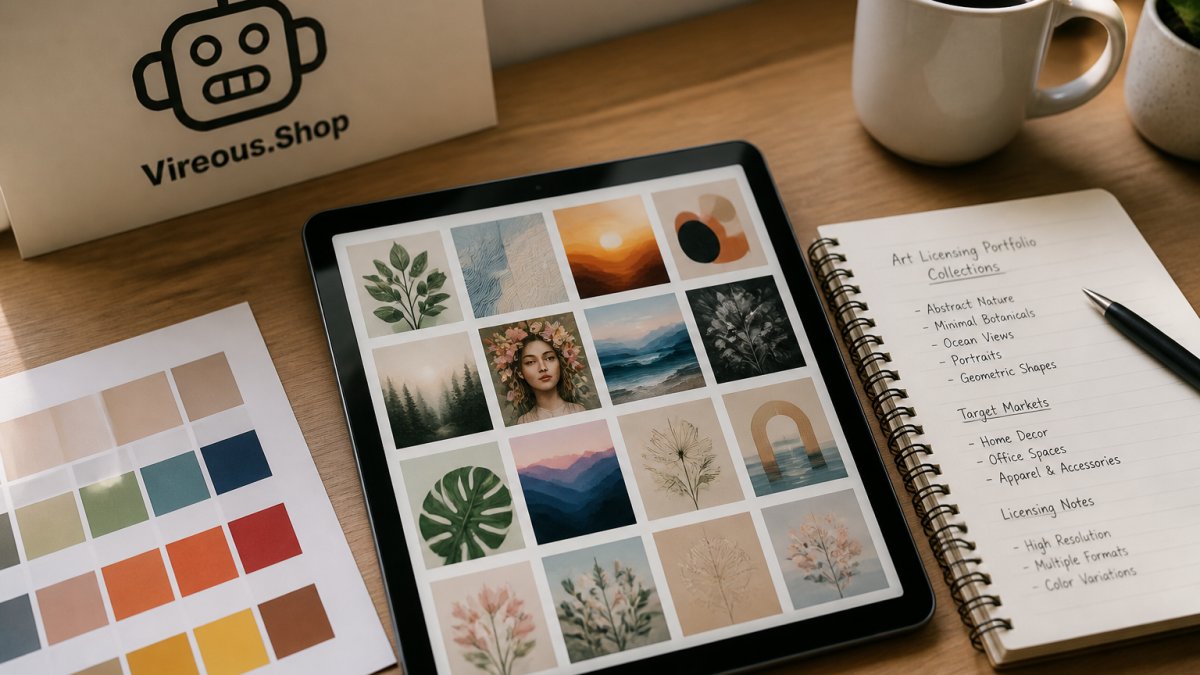
The Core Pieces Every Submission Needs
Start with a tight, repeatable structure:
- Cover sheet with your name, contact, and collection title
- Collection statement in two or three sentences
- Ten to twenty finished pieces in one visual theme
- Mockups showing the art on a canvas or print
- File inventory listing every piece and its size
- Rights summary stating how the art was made and what you can license
A hyperrealistic AI art print, for example, shows buyers the kind of themed, high-detail piece they expect to see in a licensing portfolio. If you want a reference point for how a finished print reads, you can browse a sample canvas print to see the level of detail buyers respond to.

File Formats and Sizes That Get Accepted
Accepted formats are usually PNG or TIFF at 300 DPI, with a layered or high-resolution master file kept on your end. Deliver flat, print-ready files and keep the master separate.
A simple rule set:
- Format: PNG or TIFF for print, JPG only for previews
- Resolution: 300 DPI at final print size
- Color: sRGB for review, CMYK master if the buyer requests it
- Naming: collection-name_piece-number_version
Watch out: submitting screenshots or compressed social media exports is one of the fastest ways to get rejected. Buyers read low-resolution files as a sign you cannot deliver production-ready work.
Art Licensing Portfolio Examples That Stand Out
The strongest art licensing portfolio examples share one trait: you can describe the whole collection in a single sentence. "Botanical line art for kitchen decor" beats "a mix of cool AI images" every time.
Here are three structures that work:
- The series: one subject explored across ten variations, same palette and mood
- The product line: art designed for a specific product, like tote bags or canvas prints
- The seasonal set: a themed collection timed to a buying season
A polished AI digital art piece on stretched canvas helps you picture how your own portfolio pieces could look as finished, sellable work. You can see an AI art piece on satin canvas presented as a finished, licensable work. Seeing your art framed and hung changes how you judge it. You can view a fairy nymph AI canvas piece to visualize how your own portfolio pieces could be presented. You can view a framed AI art piece to compare presentation styles.

The pattern across all three structures is restraint. Pick one lane. Own it.
How Many Designs Belong in Your Portfolio?
Ten to twenty finished designs is the practical range for a first submission. Fewer than ten looks thin. More than twenty-five buries the buyer in choices.
Think in collections, not counts. A buyer can license a ten-piece set as a single product line. That is easier to say yes to than forty unrelated images.
A working split:
Science Girl Building Her First Nuke For a School Project and Will Test It →
| Portfolio Size | Best For | Risk |
|---|---|---|
| 5-9 designs | Testing interest | Looks incomplete |
| 10-20 designs | First submission | Low, if themed |
| 21-40 designs | Established creators | Buyer fatigue |
| 40+ designs | Multi-collection catalogs | Needs strong indexing |
Start at twelve. Twelve gives you a full set with room to swap out weak pieces.
AI Art Commercial Use Rights You Need to Confirm
AI art commercial use rights decide whether you can license a piece at all. Before you submit anything, confirm what the tool you used allows for commercial sale, and keep a record of it.
This is where portfolios fall apart. A gorgeous collection means nothing if you cannot legally license it.
Check these before you build:
- Commercial use terms of the AI tool you used
- Whether output ownership transfers to you
- Restrictions on resale, print-on-demand, or sublicensing
- Disclosure requirements some buyers now ask for
- A saved copy of the terms as they read on your submission date
The U.S. Copyright Office guidance on AI-generated works is the place to start, because it explains what can and cannot be protected. Pair that with the Federal Trade Commission's advertising guidance if you plan to market the art with claims about how it was made.
Our advice: build a one-page rights sheet for every collection. Buyers trust creators who arrive with answers.
Art Licensing Submission Guidelines: A Step-by-Step Walkthrough
Art licensing submission guidelines are the rules each buyer publishes for how to send work, in what format, and what rights they expect. Follow them exactly. Buyers use small errors to filter fast.
Here is the walkthrough we would use:
- Read the buyer's guidelines twice and note every format rule
- Match their file naming exactly, even if it feels odd
- Write a short cover email naming the collection and the product fit
- Attach a preview PDF and link to full-resolution files
- Include your rights sheet and a mockup or two
- Log the submission with date, contact, and response window
- Follow up once after their stated review period
Mistakes That Get Portfolios Rejected
The rejections cluster around a few repeat offenses:
- Sending files in the wrong format or resolution
- Mixing unrelated styles in one collection
- No rights information at all
- Copy-pasted cover emails that name the wrong buyer
- Oversized attachments that bounce
A common mistake is treating submission as a creative act. It is an admin task. Do the admin perfectly and your art gets a fair look.
Turning Portfolio Pieces Into Licensed Products
A portfolio piece becomes a licensed product when a buyer can see it on a shelf, a wall, or a shirt without imagining anything. Your job is to remove the imagining.
That means mockups, and good ones. Show the same design on a canvas, a framed print, and a tote. Buyers license product lines, not files.
An AI art print on canvas is a clean example of how a portfolio design becomes a sellable licensed product. The file stops being art and starts being inventory. You can see how an AI design looks as a finished print to study the transition from file to product.

Three moves that speed this up:
- Build a mockup template you reuse for every piece
- Group designs by product so buyers see bundles, not singles
- Price by collection rather than per image
The creators who license consistently are the ones who think like a small manufacturer. Art first, then packaging, then rights.
Building a portfolio for AI art licensing is a packaging problem more than an art problem. Most creators stall because they never move from "making images" to "preparing a collection a buyer can say yes to."
That is the gap Vireous.Shop was built to close. Our platform runs on OpenAI's DALL-E 3 API, so you can generate custom designs from natural language prompts and see them on real products before you pitch. We offer private label options for canvas art, garments, and bags, plus same day or next day dispatch on personalized items. When you are ready to turn your collection into something tangible, customize your first piece and see how your portfolio looks as a finished product.
Frequently Asked Questions
How do you build an art licensing portfolio from scratch?
Start with 15 to 25 cohesive pieces grouped into two or three themed collections rather than scattered singles. Generate work with a consistent style, then export each piece at high resolution with a transparent background or layered file where possible. Add a one-page overview per collection explaining the theme, color palette, and suggested product applications. Before submitting, confirm your AI tool's terms allow commercial use and document your prompts, since buyers increasingly ask how the work was made.
Can AI-generated art be licensed commercially?
Yes, but the rights depend on the tool you used. OpenAI's terms, for example, allow commercial use of images you generate, while some platforms restrict resale or require attribution. Check your generator's current terms and keep a record of the prompts, dates, and account used. Buyers also want assurance the work is original, so avoid prompts that name living artists or mimic trademarked characters. Clear AI art commercial use rights documentation speeds up every licensing conversation.
What file formats do art licensing buyers need?
Most buyers ask for high-resolution PNG or TIFF files at 300 DPI, plus vector formats like SVG or EPS when the design is graphic. Supply layered files if your tool exports them, and always include a flattened preview for quick review. Label files with the collection name and a version number so buyers can match them to your submission sheet. Sending a low-resolution PDF lookbook alongside the full files keeps the first review fast.
Where can you submit an art licensing portfolio?
Submit directly to manufacturers, print-on-demand platforms, and art licensing agencies that publish open calls for submissions. Many surface design and home decor companies list submission guidelines on their sites, including file specs and exclusivity terms. Read each set of guidelines before sending, since some require exclusive rights for a set period. Keep a simple tracker of where you submitted, the date, and the response so you can follow up without duplicating pitches.
