

Table of Contents
- Understanding AI Image Generation Basics
- Tips for Better AI Art Prompts
- AI Art Prompt Engineering Examples
- Best AI Image Generator Tools
- Adjusting Aspect Ratios, Dimensions, and Rendering Parameters
- Iterative Refinement and Troubleshooting
- Ethical Considerations and Copyright in AI-Generated Art
- Turning Your AI Art Into Custom Products
- Frequently Asked Questions
Last Updated: September 17, 2026
Understanding AI Image Generation Basics
AI art from text prompts works by converting your written descriptions into visual images. You describe what you want to see, and the generative model translates that language into pixels. The process happens through something called a latent space, a mathematical representation where the model understands concepts like "sunset," "oil painting," or "dramatic lighting."
The technology uses neural networks trained on millions of images. When you write a prompt, the model generates something entirely new based on patterns it learned during training, rather than searching a database.
Models respond to specific language: vague descriptions produce vague results, while detailed prompts produce focused artwork. Most people treat AI like a search engine when it's actually a creative partner that needs clear direction. You're not asking it to find an image, you're giving it instructions to build one from scratch.
Tips for Better AI Art Prompts
Anatomy of an Effective Prompt
Effective prompts follow a simple structure: subject, descriptive modifiers, artistic style, technical parameters, and negative instructions. Example: "A woman in a coffee shop wearing a vintage leather jacket, holding a steaming cup, soft morning light, oil painting, impressionist, warm color palette, bokeh background." Avoid being too general ("make something cool") or too restrictive ("exactly like this photo but different"). The sweet spot is specific without being rigid.
Understanding Model-Specific Syntax and Emphasis
Different generative models interpret prompts differently. Understanding these differences is critical for consistent results.
Diffusion-based models (Stable Diffusion, DALL-E 3) support token weighting syntax. Parentheses increase emphasis: (dramatic lighting) or ((sharp focus)). Square brackets reduce it: [soft background].
Transformer-based models (Midjourney) use :: for weighted concepts and -- for parameters. Example: a woman in a coffee shop::2 vintage leather jacket::1.5 --ar 16:9.
DALL-E 3 prioritizes natural language over syntax. Use conversational prompts: "A dramatic, cinematic scene rendered in high resolution with sharp focus and professional lighting" rather than (dramatic) (cinematic) (high-resolution). When switching tools, adjust syntax, the same prompt produces different results across models.
Using Negative Prompts for Consistency
Negative prompts tell the model what NOT to include. This is one of the most underused tools for achieving visual consistency.
If you want a photorealistic portrait but keep getting blurry eyes, add to your negative prompt: "blurry, low resolution, distorted features." If you want a clean design but the model keeps adding random objects, specify: "no extra elements, no clutter, minimalist."
Negative prompts help the model avoid common failure modes, dramatically improving iteration speed.
Structure negative prompts by category: quality issues ("blurry, low resolution"), anatomical errors ("distorted hands, extra fingers"), unwanted elements ("text, logos"), and style conflicts ("cartoon, anime"). If ineffective, increase CFG scale or repeat the instruction.
AI Art Prompt Engineering Examples
Defining Art Styles and Artistic Mediums
Artistic style shapes everything. Pair style with medium and technique: "Digital painting, cyberpunk aesthetic, neon colors" or "Watercolor landscape, soft impressionist brushstrokes." Small word choices create massive differences, "Renaissance painting" triggers different patterns than "Renaissance portrait."
Adding Descriptive Adjectives and Modifiers
Use specific modifiers: "dramatic mountain landscape, sharp peaks, misty valleys, golden hour lighting, cinematic depth" instead of "beautiful landscape." Technical terms like "high-resolution," "4K," or "professional photography" push toward cleaner output.
Best AI Image Generator Tools
Leading tools include DALL-E 3 (text-following accuracy), Midjourney (aesthetic results), and Stable Diffusion (flexibility). Vireous.Shop integrates with OpenAI's technology, letting you generate artwork and customize it on canvas prints, apparel, or framed art with same-day or next-day dispatch.

| Tool | Best For | Key Strength |
|---|---|---|
| DALL-E 3 | Text-to-image accuracy | Follows complex written descriptions precisely |
| Midjourney | Aesthetic results | Produces visually striking, gallery-quality output |
| Stable Diffusion | Flexibility | Customizable, fine-tuning options available |
| Vireous.Shop | Custom products | Direct integration with OpenAI, made-to-order printing |
Adjusting Aspect Ratios, Dimensions, and Rendering Parameters
Aspect ratio determines shape: 16:9 (cinematic), 1:1 (square), 9:16 (portrait). Choose based on display context. Rendering parameters include sampling steps (30-50 typical), CFG scale (7-15 for literal, 3-7 for creative), and seed value (for reproducible results). These parameters are deterministic, change one, get a predictable shift in output.
Iterative Refinement and Troubleshooting
Most great AI art comes from iteration. Each attempt teaches you how the model responds.
Create Your Own AI-Generated Canvas Art →
Diagnostic Framework: Identifying the Root Cause
Before you adjust your prompt, diagnose whether the problem is conceptual, stylistic, or technical:
Conceptual issues: The subject is wrong or key elements are missing. Simplify and clarify your main subject first, then layer style back in. Stylistic issues: The model understood your idea but rendered it wrong. Replace or clarify your style descriptor. Technical issues: Output quality is poor. Adjust parameters, not prompt wording.
Common Issues and Targeted Fixes
Blurry or low-quality output: Add "high-resolution, detailed, sharp focus" to your prompt. Increase sampling steps to 50. Raise CFG scale from 7 to 12 (above 15 causes artifacts).
Wrong color palette: Specify color names ("golden yellows, deep oranges") instead of adjectives. Add "desaturated, washed out" to negative prompt. Specify light source: "golden hour lighting" for warm, "blue hour lighting" for cool.
Distorted hands, extra fingers, or anatomical errors
- Negative prompt: Add "distorted hands, extra fingers, malformed limbs, incorrect anatomy, deformed." Be specific about what you don't want.
- Positive prompt refinement: Instead of "hands holding a cup," say "hands with five fingers each, holding a cup, anatomically correct, detailed hands." Explicitly stating correct anatomy helps.
- Zoom and reframe: If hands are consistently wrong, try a wider shot or different angle. Close-ups of hands are harder for most models (Giving a Hand to Diffusion Models). Medium shots often produce better results.
- Regenerate with locked seed: If one generation has good hands but wrong background, lock the seed and adjust only the background description. This preserves the hand anatomy while changing other elements.
Unwanted elements: Add to negative prompt: "no extra elements, no clutter, no text." Clarify your prompt: "a woman alone in a coffee shop, isolated subject, empty background." Use "close-up," "tight crop," or "centered subject."
Composition feels off: Specify camera angle ("wide shot," "overhead view," "low angle"). Add depth layers: "foreground, middle ground, background." Mention "rule of thirds composition" for professional framing.
Text rendering is garbled: Most models struggle with readable text. Generate without text, then add it in Photoshop or Figma. If text is essential, try "clean typography, bold sans-serif letters, large readable text, high contrast."
Color bleeding or halos: Lower CFG from 12 to 8.
The Iteration Workflow: From Problem to Solution
- Generate and screenshot. Save the output and note what's wrong.
- Diagnose the category. Is it conceptual, stylistic, or technical?
- Make one change. Adjust either the prompt or a single parameter. Don't change five things at once, you won't know which one worked.
- Regenerate with the same seed. Lock your seed value so only your change varies. This isolates the effect of your adjustment.
- Compare side-by-side. Look at the original and new version. Did it improve? Move closer or further away?
- Iterate. Repeat steps 3-5 until you reach your target.
The thing nobody tells you about iteration is that it's not failure. Each generation teaches you something. You're training yourself to speak the model's language. After 10-15 attempts on a design, you understand how it thinks. After 50 attempts across different concepts, you develop intuition about which prompts will work before you even generate them.
Ethical Considerations and Copyright in AI-Generated Art
Training data is a gray area, models learn patterns from internet images, some copyrighted. For commercial use, be transparent about AI generation and check your generator's terms of service. Vireous.Shop's integration with OpenAI means your designs are yours to use on custom products.
Turning Your AI Art Into Custom Products
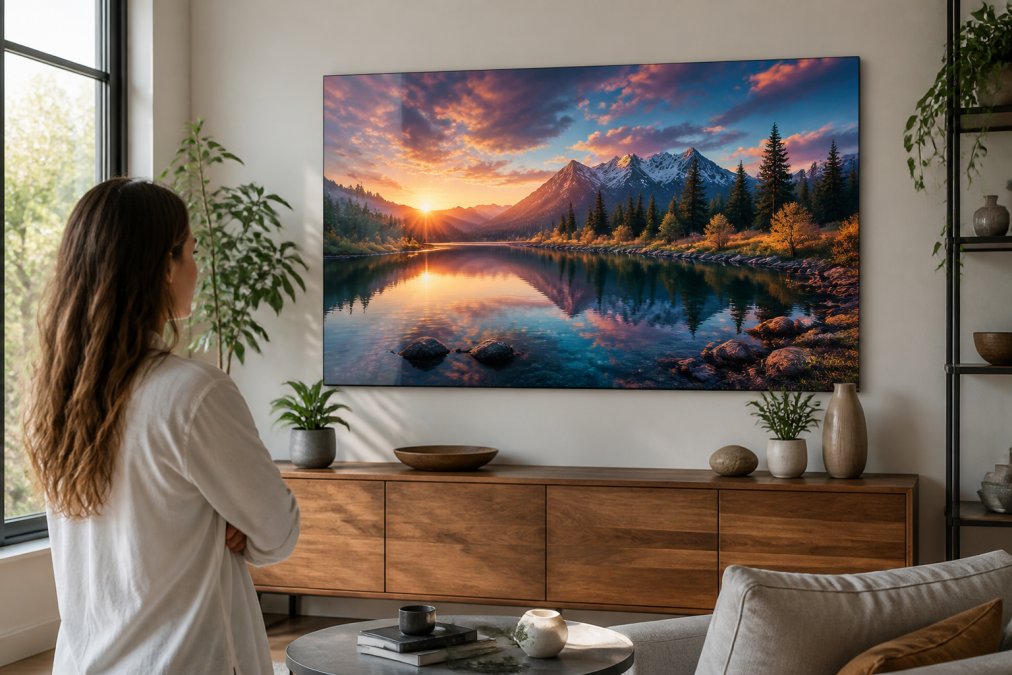
Canvas prints are a great way to bring AI art into the physical world.
Frequently Asked Questions
Can AI generate images from text prompts?
Yes. Modern generative models like DALL-E 3, Midjourney, and Stable Diffusion convert text descriptions into visual images using deep learning. These models analyze millions of images and their descriptions to learn relationships between words and visual elements. When you provide a text prompt, the model processes it through a latent space representation and renders a unique image matching your description. The quality and accuracy depend on prompt clarity and the specific model you choose.
How can I improve my AI art prompt writing skills?
Start by being specific about your subject, artistic style, and visual details. Instead of 'a cat,' write 'a fluffy orange tabby cat sitting on a velvet cushion, photorealistic, soft warm lighting.' Include composition details like camera angles, depth of field, and lighting effects. Use negative prompts to exclude unwanted elements. Experiment with different phrasing and refine based on results. Study examples of effective prompts and test variations iteratively. Most AI art generators improve dramatically when you describe what you want to see rather than what you don't.
Is AI-generated art protected by copyright?
Copyright protection for AI-generated art remains legally complex and varies by jurisdiction. In the United States, the U.S. Copyright Office generally does not grant copyright protection to works created entirely by AI without human creative input. Always review the terms of service for your AI tool, some platforms retain rights to generated images, while others grant you commercial use rights. When creating custom products, ensure your prompts and modifications constitute sufficient creative contribution.
What should I do if my AI art doesn't match my vision?
Refine your prompt by adding more specific details, adjusting descriptive modifiers, or changing the artistic style. Try adjusting technical parameters like aspect ratio, seed value, or sampling steps if your tool supports them. Use negative prompts to exclude elements that appeared in previous attempts. Break complex ideas into simpler components and generate variations. If one model consistently underperforms, test a different generator. Keep notes on successful prompt structures and iterate from there rather than starting from scratch each time.