

Table of Contents
- Understanding Printing Methods and Their Speed
- Custom Apparel Printing Turnaround Time: What to Expect
- How to Prepare Artwork for Printing Success
- Rush Printing Order Checklist: Avoid Common Delays
- Cost vs. Speed Trade-offs in Rush Printing
- Supply Chain Logistics and Expedited Shipping
- Frequently Asked Questions
Last Updated: October 6, 2026
Understanding Printing Methods and Their Speed
When you need custom apparel fast, choosing the right printing method for rush orders is critical, the wrong technique can delay your project by days or weeks. Setup time, ink curing, and production capacity all affect turnaround, and faster methods often trade off cost or quality. At Vireous.Shop, we know creators need fast turnaround without sacrificing quality.
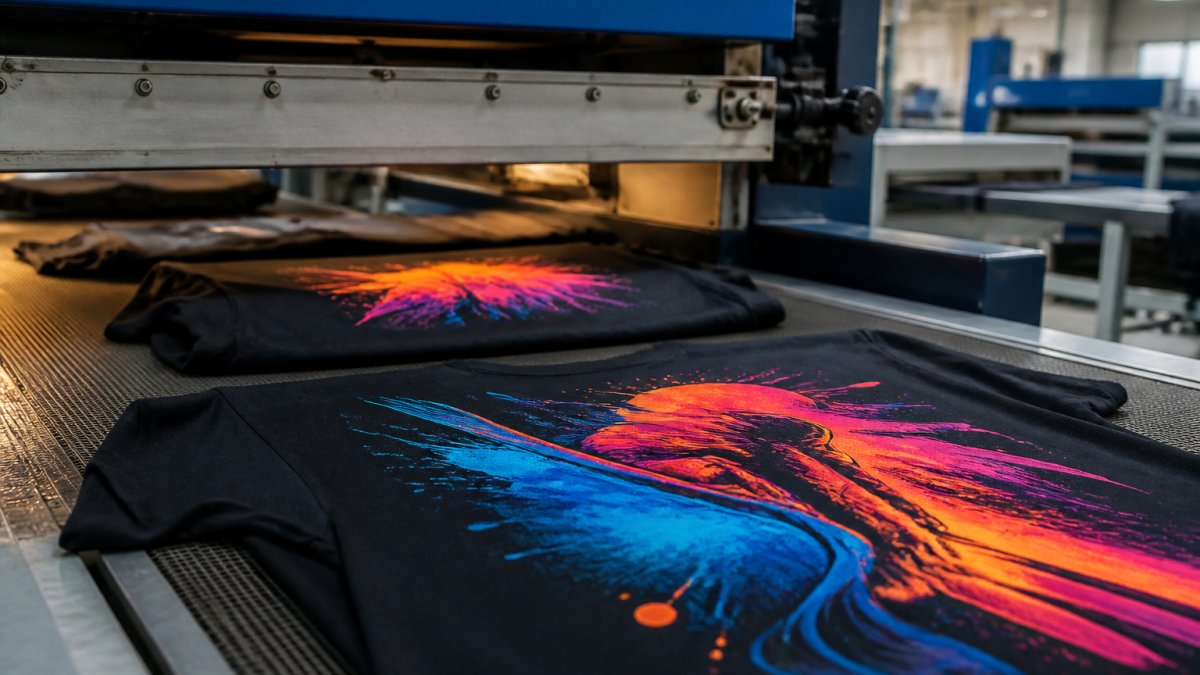
Screen Printing vs. Direct-to-Garment Printing
Screen printing pushes ink through mesh screens, one per color. Setup is where it loses speed: screens, ink mixing, and press calibration take 4-8 hours for a single-color design, plus more per color. Once set up, an operator produces dozens of garments per hour, ideal for medium to large orders that spread the setup cost.
Direct-to-garment (DTG) printing works like a large inkjet printer, spraying ink directly onto fabric with no screens or color separations. Setup is nearly eliminated, a single custom shirt can be ready in under an hour. The trade-off is per-unit speed: DTG prints one garment at a time, while screen printing produces multiple simultaneously. DTG wins under 20 pieces with tight deadlines; screen printing wins on larger quantities with a few extra hours.
Direct-to-Film and Heat Transfer Options
Direct-to-film (DTF) printing prints designs onto special film, then transfers them to fabric with heat and pressure.
DTF combines both advantages: minimal setup like DTG, production speed approaching screen printing, with only a small heat-transfer step added.
Heat transfer covers several techniques, vinyl uses pre-cut designs, sublimation works on polyester, each with different timelines and quality.
Vinyl transfers are quick and durable for logos or bold graphics, though design edges are visible. Small orders typically turn around in 24-48 hours.
Sublimation bonds dye into polyester for seamless, long-lasting color, but requires special equipment and adds 1-2 days to rush timelines.
Custom Apparel Printing Turnaround Time: What to Expect
Turnaround time depends on printing method, order size, and production capacity.
For screen printing rush orders:
- Same-day service: typically available for single-color, small quantities only
- Next-day service: possible for 2-3 color designs with 20-50 pieces
- 2-3 day service: standard for multi-color orders or larger quantities
For DTG rush orders:
- Same-day service: available for orders under 10 pieces with simple designs
- Next-day service: standard for 10-50 piece orders
- 2-day service: typical for 50+ pieces
For DTF and heat transfer:
- Same-day service: possible for very small orders (under 5 pieces)
- Next-day service: standard for most orders under 100 pieces
- 2-3 day service: typical for larger quantities
Real-world factors shift these timelines: weekend orders may not start until Monday, complex designs take longer, and fabric availability affects when production begins.
Vireous.Shop offers same-day or next-day dispatch for personalized items, so your file must be production-ready when submitted, file readiness is the biggest variable in actual turnaround.
How Design Complexity Affects Speed
Simple designs print faster: a single-color logo takes minutes, while a photorealistic multi-color image takes far longer. Vector files are print-ready immediately; raster images need color separation and possible manual adjustments. DTG handles unlimited colors without setup penalty. Placement matters too: full-back prints take longer than chest logos, all-over prints need multiple passes, and front-and-back designs double production time.
How to Prepare Artwork for Printing Success
File readiness determines whether your order ships on time. Poor preparation causes delays and reprints.
Submit the right format: DTG accepts vector or high-resolution raster (300 DPI minimum).
Check your color mode: DTG uses CMYK. RGB files must be converted, which can change how colors appear.
File Format and Resolution Requirements
Raster files need 300 DPI minimum at actual print size, a 12-inch design needs 3,600 pixels wide. Flatten your design before submitting, embedded layers, effects, and transparency cause production problems. Provide Pantone numbers or CMYK values, since color matching is difficult without them.
Design Complexity and Color Matching
Color matching is harder than expected, monitors display colors differently than fabric, and the same design looks different on white cotton versus black polyester. Request a proof before full production if possible, many printers offer digital proofs or sample prints that prevent disasters on large orders. For DTG, photo-quality designs work well, gradients, shadows, and complex color need no extra setup, making them better for photorealistic designs on tight deadlines.
Rush Printing Order Checklist: Avoid Common Delays
Before submitting your order, verify these items:
- File format matches your printing method (high-res raster or vector for DTG)
- Resolution is 300 DPI minimum for raster files at actual print size
- Color mode is correct (CMYK for most methods)
- Design is flattened with no embedded layers or effects
- File name is clear and descriptive
- Pantone or CMYK values are provided for color-critical designs
- Fabric color and type are confirmed
- Garment size and quantity are exact
- Delivery address and deadline are clearly stated
- Payment method is confirmed and ready
Missing any item delays your order, production teams contact you for clarification, adding 24+ hours to your timeline.
Communicate your deadline clearly and tell your printer you need rush service. Rush orders may cost more but get priority scheduling.
Cost vs. Speed Trade-offs in Rush Printing
Faster printing costs more, but understanding how rush fees are structured lets you budget and negotiate intelligently.
What a Rush Fee Actually Pays For
A rush fee compensates the printer for real costs incurred by displacing scheduled work:
- Overtime labor, press operators, pre-press staff, and packers working outside normal hours.
- Production rescheduling, bumping a standard job to fit yours in, which can delay another customer.
- Expedited blank sourcing, if your garments aren't in stock, the printer may pay for faster distributor shipping.
- Priority shipping, upgrading the outbound carrier service.
- Reduced efficiency, short runs and single-piece jobs carry higher per-unit labor than long runs.
Understanding which costs apply lets you reduce the fee by removing the cost driver, in-stock blanks eliminate sourcing, and accepting 48 hours instead of 24 eliminates overtime.
Common Rush Fee Structures
Printers typically use one of three models:
- Percentage uplift, a markup on the standard order total, often tiered by how fast you need it. A 24-hour turnaround may carry a higher uplift than a 72-hour one.
- Flat rush charge, a fixed fee per order regardless of size. This favors larger orders, where the fee is spread across more units.
- Tiered service levels, published turnaround tiers (standard, expedited, rush, same-day) each with their own pricing. This is the most transparent model and the easiest to budget against.
Ask which model your printer uses before committing, a flat fee is a larger percentage of a 12-piece order than a 200-piece one.
How to Negotiate a Rush Fee
Rush fees are often more flexible than they appear, especially for repeat customers or off-peak timing. Practical levers:
- Flex your deadline by 24 hours. Moving from same-day to next-day frequently drops the fee substantially, because the printer can schedule your job into a normal shift rather than an overtime block.
- Increase quantity. A larger order spreads fixed rush costs across more units, lowering your per-piece premium.
- Simplify the job. Fewer colors, single-location prints, and vector-ready files reduce labor and setup.
- Supply your own blanks. If you deliver in-stock garments, you remove the sourcing cost.
- Book off-peak. Mid-week, mid-month orders are easier to slot in than Friday or end-of-quarter rushes.
- Commit to volume. A printer who knows you'll place regular orders has more incentive to work with you on pricing.
Minimum Order Quantities and Per-Unit Economics
DTG has no practical minimum, you can print one shirt, though that flexibility comes at a higher per-unit cost.
The Hidden Cost of Rushing Quality
A rush fee buys speed, not immunity from defects. Compressed timelines increase mis-registration, uneven curing, color drift, and packing errors, and rush reprints cost more than the original fee. When the deadline is immovable, pay for the rush and simplify the job: fewer colors, standard blanks, single-location prints, and a production-ready file.
Supply Chain Logistics and Expedited Shipping
The machine is rarely the bottleneck. The blank garment is. Most rush failures trace to inventory, not press speed, if the exact style, color, and size isn't on the shelf, production can't start, and no rush fee changes that.
Why Blank Garment Availability Drives Rush Timelines
Printers typically stock fast-moving blanks, standard cotton tees in white, black, and core colors, sizes S through XL. Common rush-order killers include:
- Extended sizes (2XL and up), often stocked in lower quantities and the first to sell out during peak seasons.
- Fashion or fitted cuts, a printer may carry a standard unisex tee but not the fitted or cropped version your design was mocked up on.
- Specialty fabrics, tri-blends, ring-spun cotton, performance polyester, and heavyweight fleece are stocked in narrower color ranges.
- Seasonal colors, a color that was readily available in spring may be discontinued by fall.
- Youth and toddler sizes, frequently ordered in small quantities and rarely kept deep in stock.
Ordering blanks from a distributor adds 2-5 business days before production begins, and peak-season backorders stretch that further.
How to Verify Blank Availability Before You Commit
Ask your printer three questions before paying a rush fee:
- "Are the exact style, color, and size breakdown in stock right now?" Not "can you get them", in stock, on the shelf, today.
- "What is your substitute policy if a size runs short?" Some printers will swap to a comparable blank; others will hold the whole order.
- "Can you send a photo of the blanks before printing?" This confirms the color match and catches mis-picks before ink hits fabric.
If you supply your own blanks, deliver them with time to spare, printers can't start a job on garments that arrive the morning of the deadline.
Curing, Rest, and Packing Time
Printing isn't the last step. DTG needs pre-treatment and a final cure. Garments must then cool and rest before packing, or ink can smear or crack.
A realistic rush timeline accounts for:
- Blank pull and quality check
- Pre-treatment (for DTG)
- Print run
- Cure and cool-down
- Fold, bag, and pack
- Handoff to carrier
Skipping or compressing any step is how rush orders end up with cracked prints, off-register colors, or wrinkled garments.
Shipping Is the Final Variable You Cannot Control
Once the box leaves the printer, you depend on the carrier: ground runs 3-5 business days, expedited 1-2, and overnight is priced accordingly and still subject to weather, hub delays, and address issues.
For true rush orders, coordinate the whole chain in one conversation: blank availability, production slot, cure time, pack-out, and carrier pickup. Ask directly whether your deadline is achievable, a printer who says "probably" is telling you no.
Frequently Asked Questions
Which printing method is fastest for a rush apparel order?
Direct-to-garment (DTG) printing typically offers the fastest turnaround for rush orders because it requires minimal setup time and no curing delays.
How do I prepare artwork for printing to avoid delays?
Submit files at 300 DPI resolution with all fonts converted to outlines. Ensure your design matches the garment dimensions and color space (CMYK for print). Provide a clear color reference or Pantone number for accurate color matching. A complete file checklist prevents back-and-forth revisions that delay your rush order.
What is the minimum order quantity for rush printing?
Minimum order quantities vary by printing method. DTG printing handles single units efficiently, making it ideal for rush one-offs.
How can I avoid delays when ordering custom apparel on a tight deadline?
Submit files at least 24 hours before your deadline, provide complete design specifications upfront, and confirm blank garment availability before ordering. Use a rush printing order checklist to verify file readiness, design complexity, color requirements, and shipping address accuracy. Communicate your deadline clearly and confirm production capacity with your supplier before committing to the order.