

Table of Contents
- Why Your AI Design Previews Fall Short
- AI Prompt Engineering for Designers: Building Better Briefs
- Best AI Tools for Graphic Design and Accurate Previews
- How to Write Better Image Generation Prompts for Design Fidelity
- Integrating AI Previews Into Your Design Workflow
- Evaluating and Validating AI Design Output
- Common Mistakes That Destroy Preview Accuracy
- Getting Accurate Previews for Your Brand
Last Updated: August 6, 2026
Why Your AI Design Previews Fall Short
The gap between what you imagine and what AI generates is almost always bigger than expected. You write a prompt, hit generate, and the result looks nothing like your vision, colors are wrong, composition feels off, requested details are missing or distorted.
This isn't a failure of the AI. It's a failure of the brief.
Most people treat AI design generation like a slot machine: throw in a casual description and hope something good comes out. The tools are far more capable than the prompts most people write. The difference between vague and precise requests isn't subtle, it's the difference between unusable output and something you'd actually print or wear.
Getting accurate AI design previews requires thinking like you're briefing a designer who speaks a very literal language. Ambiguity gets punished. Specificity gets rewarded. At Vireous.Shop, we've helped creators master this process, transforming design ideas into tangible products through precise prompt engineering and iterative refinement.
AI Prompt Engineering for Designers: Building Better Briefs
Prompt engineering for design is structuring natural language instructions with enough specificity that AI systems generate outputs matching your creative intent. It's a learnable skill that separates designers getting usable results from those constantly disappointed.
The core problem: people assume AI understands context like humans do. It doesn't. When you say "modern aesthetic," the AI guesses from statistical patterns in training data. You get back something technically "modern" but not what you wanted.
Specificity Over Vagueness
Vague prompts produce vague results. This is the single most important rule.
Instead of "a cool design," write "a minimalist geometric pattern with three intersecting circles in navy blue and white, flat design style, no gradients, suitable for a t-shirt chest print." Instead of "something trendy," write "Y2K aesthetic with pastel pink and mint green, early 2000s typography, nostalgic mood, fashion illustration style."
The difference in output quality is dramatic. Specificity means naming exact colors, not describing moods. It means stating dimensions and aspect ratios. It means specifying artistic style, medium, and technical constraints.
Visual References and Design Constraints
The strongest prompts include references to existing visual work that demonstrates the style you want. "In the style of retro 1970s concert posters by Wes Wilson" is infinitely more useful than "vintage looking." "Color palette inspired by Pantone's Spring 2026 collection" beats "spring colors."
Design constraints are equally critical. State what you don't want as clearly as what you do: "No gradients," "flat design only," "photorealistic, not illustrated," "maximum five colors," "text-free composition." These eliminate entire categories of wrong outputs.
Design Terminology and Technical Accuracy
Using precise design language produces noticeably better results than casual language. Say "sans-serif typeface" instead of "modern font." Say "high contrast" instead of "really bold." Say "asymmetrical balance" instead of "uneven but it works."
The terminology matters because it's how design systems describe visual properties. When you use it, you're speaking the language the model was trained on.
Best AI Tools for Graphic Design and Accurate Previews
Three tools dominate the space: DALL-E 3, Midjourney, and Stable Diffusion. Each has distinct strengths.
DALL-E 3: Precision Through Natural Language
DALL-E 3 excels at interpreting natural language instructions with remarkable accuracy. It's the most forgiving when it comes to prompt structure and often understands what you want even with somewhat loose descriptions.
The real advantage is consistency across iterations. If you generate five variations of the same prompt, they feel like they belong together. For creators building branded merchandise or cohesive art series, this consistency is invaluable.
DALL-E 3 also handles text within images better than competitors. If you need typography integrated into your design, a logo, quote, or text on apparel, DALL-E 3 produces readable, well-placed text more reliably.
The limitation: you can't easily adjust one part of the image while keeping everything else the same. You regenerate, and everything changes.
Midjourney: Advanced Control and Iteration
Midjourney gives you significantly more control over the generation process through aspect ratio specifications, quality settings, and style modifiers. You can upscale, remix, and refine specific sections of an image.
For designers who know exactly what they want, Midjourney delivers fine-grained control. The trade-off: it requires more precise prompts than DALL-E 3 and has a steeper learning curve.
Midjourney excels at photorealistic imagery and complex compositions. If you need a design that looks photographed rather than illustrated, Midjourney's output quality is typically superior.
Stable Diffusion: Customization and Refinement
Stable Diffusion is open-source and highly customizable. You can fine-tune models, adjust sampling parameters, and control generation at a level neither DALL-E 3 nor Midjourney allows.
This flexibility is powerful for teams running high-volume design generation. You can train custom models on your brand's visual language, ensuring every generated design feels on-brand.
The limitation: Stable Diffusion has a steeper learning curve. Out of the box, it produces lower-quality results than competitors. For individual creators, it makes sense primarily through platforms like Vireous.Shop that have already optimized the model for usable results.
How to Write Better Image Generation Prompts for Design Fidelity
Writing prompts that consistently produce accurate previews is a learnable skill.
The Iterative Refinement Workflow
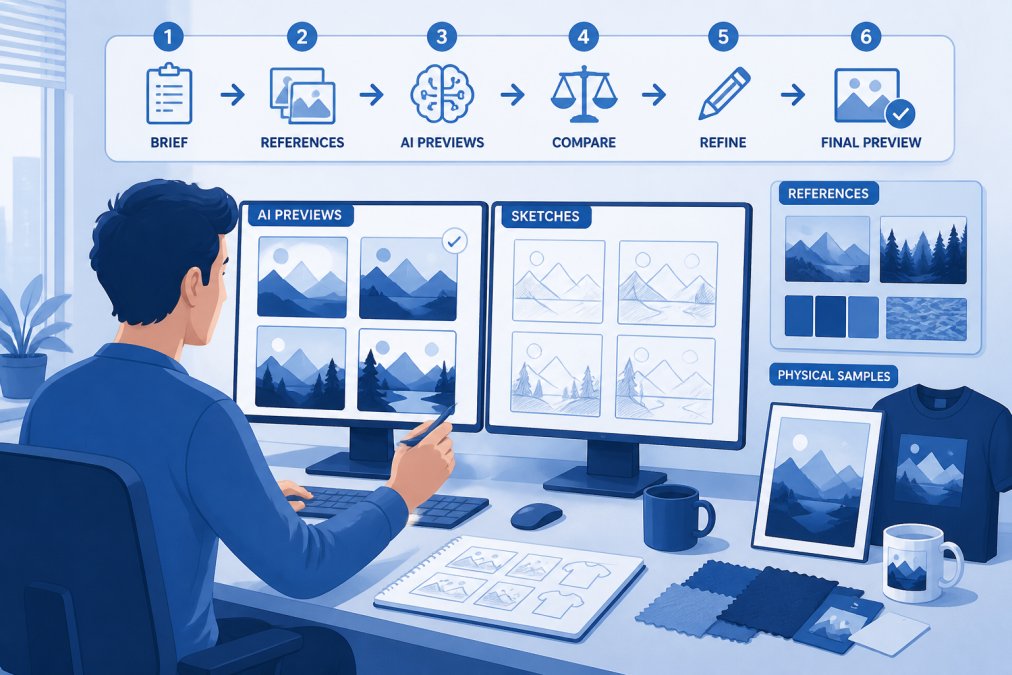
Start with a baseline prompt covering essentials: what the design is, its style, colors, and constraints. Generate five variations. Look at what worked and what didn't.
Did the AI nail the color palette but miss composition? Regenerate with stronger composition language. Did it get the mood right but proportions wrong? Add dimension specifications.
This is iterative design. You're having a conversation with the AI, refining your brief based on what it shows you. Document what works. If a certain phrase consistently produces better results, use it in future prompts.
Troubleshooting Prompt Drift and Output Inconsistency
Prompt drift happens when regenerating the same prompt produces increasingly different results. The fix: lock down variables that matter. If you need consistent character designs, include specific character descriptions, color assignments, and pose references.
Output inconsistency often stems from underspecified color palettes. Say "exactly three colors: hex #FF6B6B, hex #4ECDC4, hex #FFE66D" rather than "bright colors." The model respects specific hex codes more reliably than descriptive language.
For consistent character generation, use the same character description verbatim in each prompt, including physical characteristics, clothing, pose, and expression.
Integrating AI Previews Into Your Design Workflow
Getting accurate previews is only half the problem. The other half is integrating them into a workflow that produces finished products people want.
Start with the preview as a starting point, not a finished product. Generate multiple variations. Let them sit for a day. Come back with fresh eyes: would I actually wear this? Does this represent my brand?
The preview stage catches problems before production. A design that looks good at 1200 pixels might have spacing issues when printed at actual size. Text might be too small. Fine details might disappear.
For apparel, consider how the design works across different placements. A chest print needs different proportions than a full-back design. Generate previews for each variation before committing to production.
For wall art, think about scale and viewing distance. A design that looks intricate on screen might feel busy when printed at 24x36 inches. Generate a preview, then mentally scale it up.
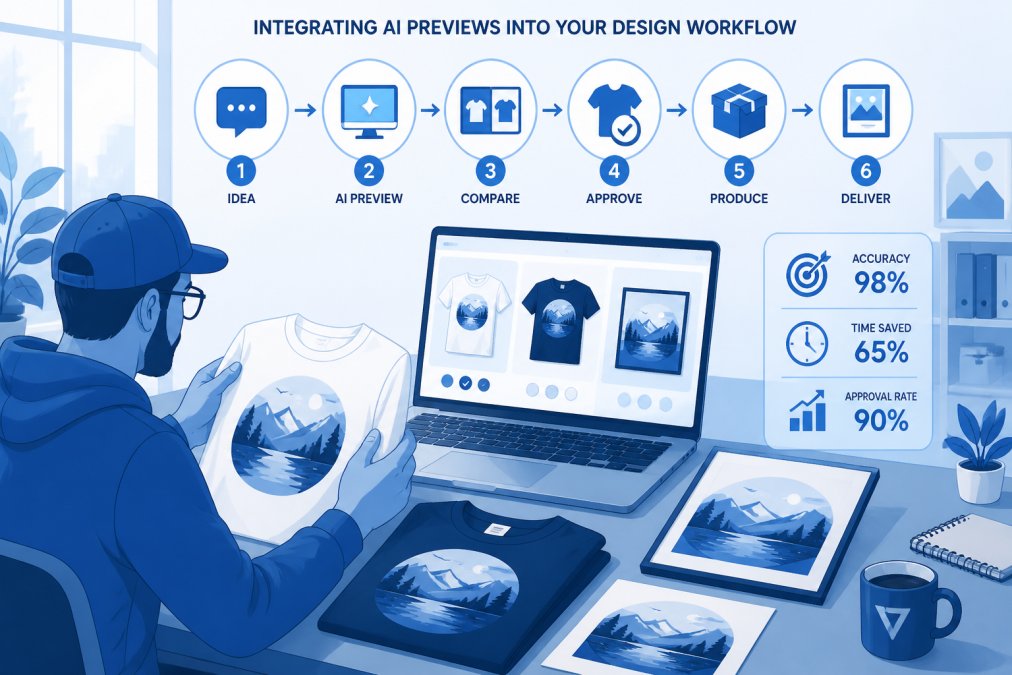
Platforms like Vireous.Shop simplify this by connecting AI previews directly to production, reducing the gap between screen and finished product.
Evaluating and Validating AI Design Output
Not every AI-generated image is production-ready. Develop an evaluation process to catch problems before committing to production.
Start with technical accuracy. Does the image match your prompt specifications? If you asked for navy blue, is it navy blue? If you specified aspect ratio, does the composition match?
Then evaluate design quality. Does the composition work? Is there clear visual hierarchy? Are proportions correct? Do colors harmonize?
Finally, evaluate production readiness. Can this design be printed without issues? Are there artifacts, distortions, or quality problems? For apparel, consider how the design looks at actual print size. For wall art, consider viewing distance and lighting.
Common Mistakes That Destroy Preview Accuracy
Mixing contradictory styles is the most common error. "Minimalist maximalist design" is contradictory. Pick one direction. If you want something blending two styles, describe how: "cartoon characters in a photorealistic environment" is clear.
Underestimating color specification kills more designs than any other factor. Saying "use good colors" produces garbage. Saying "navy blue, cream, and gold in a 60-30-10 ratio" produces usable results.
Overloading prompts with too many competing ideas produces confused output. Start with essentials. Generate. Refine based on what you see.
Ignoring aspect ratio and composition constraints is another frequent mistake. If you need a square design for social media, say so. If you need horizontal composition for a banner, specify it.
Not testing prompts at production scale is costly. A design sharp at 800x800 pixels might have problems at 3000x3000 pixels. Generate at production resolution and validate before committing to a print run.
Getting Accurate Previews for Your Brand
Building accurate AI design previews for your brand requires consistency. Create a brand design brief that becomes the foundation for every prompt. Include your brand colors (with hex codes), preferred artistic styles, typography preferences, and overall aesthetic. Include examples of designs reflecting your brand's visual language.
Use this brief as a constant reference. Every prompt should start with your brand specifications, then add specific requirements for that particular design.
Document your successful prompts. When you generate something great, save the exact prompt. Reuse it. Modify it incrementally. You're building a library of prompts that work for your brand.
Test your previews with actual production. Order a sample print. See how the design looks in reality. Use that feedback to refine your prompts for future designs.
Getting accurate AI design previews isn't about luck. It's about precision in communication, iterative refinement, and validation against real-world constraints. Vireous.Shop connects your AI-generated previews directly to production, eliminating the gap between screen and finished product. Start with a focused prompt, generate variations, refine based on what works, and validate before production.
| Step | Focus | Outcome |
|---|---|---|
| 1. Build Brand Brief | Colors, styles, aesthetic | Consistent visual identity |
| 2. Write Specific Prompt | Design specs, constraints | Targeted AI output |
| 3. Generate Variations | Multiple iterations | Options to evaluate |
| 4. Refine and Iterate | Adjust based on results | Closer to your vision |
| 5. Validate at Scale | Test at production size | Catch issues early |
| 6. Document Success | Save working prompts | Reusable templates |
Frequently Asked Questions
Why are my AI design previews inaccurate compared to what I actually ordered?
Inaccurate previews usually stem from vague prompts, missing design constraints, or tool limitations. AI models interpret language differently than humans do. The more specific your prompt, including style references, color values, layout specifications, and design intent, the closer your preview matches the final output. Tools like DALL-E 3 excel at literal interpretation when given precise design briefs, while others require iterative refinement to nail accuracy.
How does prompt engineering improve AI design preview accuracy?
Prompt engineering teaches the AI model exactly what you want through structured language and design terminology. Instead of 'make a cool shirt,' you'd specify 'minimalist graphic tee with centered vector logo, navy cotton, 12-point sans-serif text below.' This reduces ambiguity, prevents style drift, and ensures the preview reflects your actual design intent. Each iteration refines the model's understanding, making subsequent previews more aligned with your vision.
What's the best AI tool for getting accurate design previews that match my final product?
DALL-E 3 excels at accuracy because it follows natural language instructions closely and resists common misinterpretations. Midjourney offers advanced parameter controls for consistency. Stable Diffusion provides customization through fine-tuning. Your best choice depends on whether you prioritize ease-of-use (DALL-E 3), control (Midjourney), or customization (Stable Diffusion). For personalized apparel and wall art, DALL-E 3's literal interpretation typically delivers previews that match the final product most reliably.
Can AI tools accurately replicate my specific brand guidelines and color schemes?
Yes, but only if your prompt includes explicit design specifications. State exact Pantone colors, hex codes, font families, logo placement, and brand style rules. Reference your brand guidelines directly in the prompt. Most AI models can follow these constraints when given clear design specs, though consistency improves with iterative refinement. Testing multiple generations with the same prompt helps validate whether the tool can reliably reproduce your brand's visual identity.
This article was written using GrandRanker