

Table of Contents
- Top AI Tools for Personalized Apparel Design
- How to Choose the Right AI Design Software
- AI T-Shirt Design Generator: From Concept to Print
- Best Practices for AI Apparel Printing
- Copyright Laws for AI-Generated Designs
- Sketch-to-Pattern Generation and 3D Garment Visualization
- Prompt Engineering for Apparel Design Success
- Which Tool Should You Pick?
Last Updated: August 13, 2026
Top AI Tools for Personalized Apparel Design
The best AI tools for personalized apparel design combine generative design capabilities with production-ready file output and fast fulfillment. Whether you're a creator building branded merchandise, a designer testing concepts before production, or someone seeking one-of-a-kind custom pieces, the right AI tool transforms your vision into tangible products in days, not weeks.
At Vireous.Shop, we've analyzed how AI design platforms handle the full workflow from prompt to print. What matters now isn't just whether a tool can generate an image, it's whether that image exports at the resolution your printer needs, whether the file format works with your production partner, and whether you actually own the rights to sell what you've created.
Feature Comparison Table
| Tool | Generative Design | Export Resolution | Sketch-to-Pattern | Best For | Production Integration |
|---|---|---|---|---|---|
| Vireous.Shop | DALL-E 3 powered | 4K+ | Yes | Creators & influencers | Direct print-on-demand |
| Design Platform A | Text-to-image | Up to 2K | Limited | Quick mockups | Manual export |
| Design Platform B | AI + templates | 3K resolution | Yes | Small teams | API integration |
| Design Platform C | Generative design | Up to 4K | No | Professional designers | Enterprise workflows |
How to Choose the Right AI Design Software
Selecting an AI design tool means matching the tool's output capabilities to your production requirements. Three factors dominate this decision: export resolution, file format compatibility, and commercial licensing clarity.
Most creators underestimate the resolution problem. An AI tool that generates beautiful mockups on screen often produces files too small for apparel printing. Direct-to-garment (DTG) printing typically requires 300 DPI at final print size. A standard t-shirt front print (10" x 12") needs a 3000 x 3600 pixel image minimum. Sublimation printing demands 4K resolution for quality results without visible pixelation.
File format matters significantly. Your production partner needs files in specific formats. PNG with transparency works for DTG. CMYK PDFs work for screen printing. SVG vectorization is essential if you need pattern scalability across different garment sizes. Tools that lock you into proprietary formats create bottlenecks.
Commercial licensing is where most people get blindsided. Some AI platforms claim you own generated images but attach restrictions on commercial use. Others require attribution. Before committing to a tool, search their terms for "commercial use" and "merchandising rights." If it's not explicitly granted, don't build your business on that platform.
AI T-Shirt Design Generator: From Concept to Print
An AI t-shirt design generator accelerates the concept-to-production pipeline by eliminating the sketch-to-digital conversion step. Instead of drawing and scanning artwork, you describe your vision in natural language and receive production-ready mockups within minutes.
The workflow follows a consistent pattern: write your prompt, generate variations, refine the best option, export at production resolution, and send to print. Success depends on understanding how to structure prompts for apparel-specific constraints.
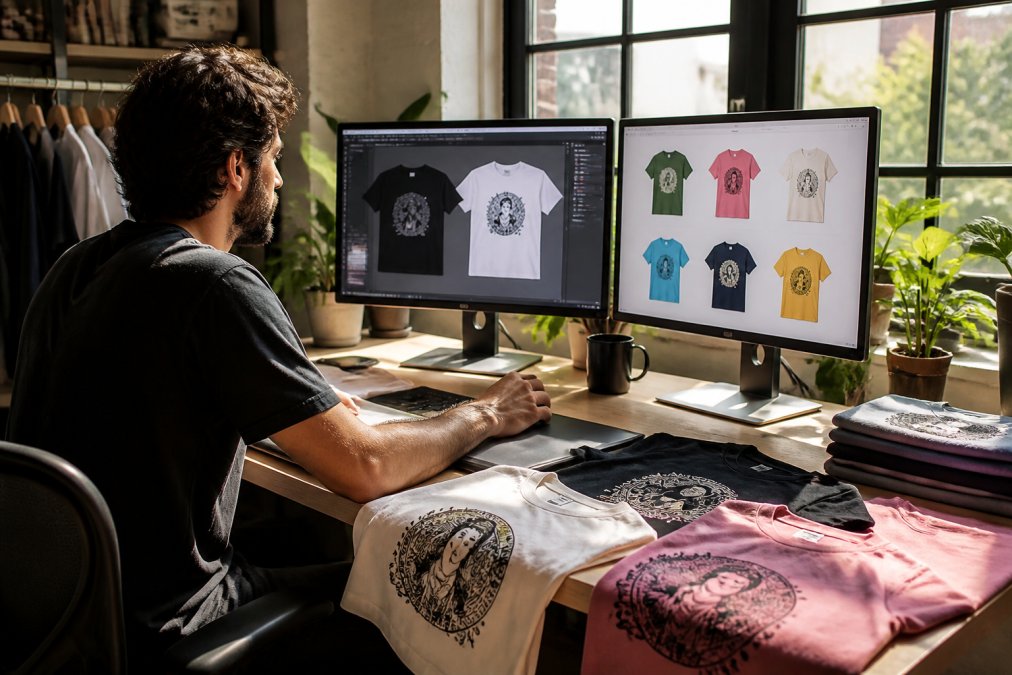
Vireous.Shop integrates DALL-E 3 API for custom design generation, allowing creators to generate unlimited unique designs from natural language prompts. The platform handles the full pipeline: you describe your design concept, the system generates variations with style controls, you select your preferred version, and the platform prepares files optimized for print-on-demand production with same-day or next-day dispatch.
The critical advantage of integrated platforms is file optimization. Generic AI image generators produce JPEGs at screen resolution. Purpose-built apparel design systems export PNG with transparency, offer color separation for screen printing workflows, and include preview functionality showing exactly how your design appears on the garment before production begins.
Best Practices for AI Apparel Printing
Successful AI-generated apparel requires understanding both the design generation process and the production constraints that determine print quality.
Technical File Specifications
Your design file must match three specifications: color mode, resolution, and dimensions. Most AI generators default to RGB color space, which works on screens but fails in professional printing. Screen printing and DTG both require CMYK conversion before production. Many platforms now offer automatic CMYK export, but verify this before uploading to your printer.
Resolution requirements vary by printing method. DTG printing needs 300 DPI at final print size. Sublimation printing demands 4K resolution to avoid visible pixelation on synthetic fabrics. Screen printing tolerates lower resolution (150-200 DPI) because ink coverage masks minor quality loss. Always confirm your printer's specifications before finalizing your design export.
Dimensions must account for bleed and safe zones. The area where ink actually prints is smaller than your file dimensions. A 10" x 12" design needs a 10.5" x 12.5" file to ensure full coverage without white edges. Different printing methods have different bleed requirements.
Workflow Integration Tips
Integrate AI design generation into your existing production workflow rather than treating it as a separate step. If you use design templates for consistency, use AI to generate variations within your template framework to maintain brand identity while using AI speed.
Batch your design generation during off-peak hours if your platform tracks API usage. Generate 20-30 design variations in a single session rather than creating designs one-at-a-time across multiple days.
Version control becomes critical when using AI generation. Save your prompts, generated images, and final exported files in a consistent folder structure. Document which prompt produced which design to prevent recreating designs from scratch if you need to regenerate files at higher resolution or different color modes.
Implement a quality gate before sending designs to production. Create a checklist: resolution verified, color mode converted to CMYK, bleed added, dimensions confirmed, file format correct, and licensing confirmed.
Copyright Laws for AI-Generated Designs
Copyright ownership of AI-generated designs remains legally ambiguous in 2026, though recent guidance has begun clarifying commercial use rights.
The U.S. Copyright Office has established that purely AI-generated images without significant human creative input cannot be copyrighted. However, designs that combine AI generation with human direction, editing, and creative choices typically qualify for copyright protection. The distinction hinges on whether the human creator exercised sufficient creative control to claim authorship.

For commercial apparel use, your legal position strengthens when you can demonstrate creative direction: you wrote specific prompts, selected from multiple variations, edited the final design, and made intentional creative choices about placement and styling.
Licensing terms matter more than copyright in practice. Many AI platforms require you to license their technology, which may include restrictions on commercial use, attribution requirements, or revenue sharing. Read the terms before building a business around a tool. Some platforms explicitly permit commercial merchandise use; others prohibit it entirely.
The U.S. Copyright Office guidance on AI-generated works provides current standards for what qualifies as copyrightable AI-assisted work.
When selling AI-generated apparel, transparency matters legally and ethically. Some jurisdictions now require disclosure that products contain AI-generated designs. Vireous.Shop includes design attribution and transparency options for creators who want to highlight the AI-assisted creation process as part of their brand story.
Sketch-to-Pattern Generation and 3D Garment Visualization
The most advanced AI apparel design tools now convert hand-drawn sketches directly into production-ready patterns and generate 3D visualizations showing how designs appear on actual garments.
Sketch-to-pattern generation eliminates the manual vectorization step. Traditional workflow: draw a design by hand, scan it, trace it in Adobe Illustrator, clean up the paths, and export as a vector file. AI-assisted workflow: photograph your sketch, upload it to the platform, select "vectorize," and receive a clean vector file in seconds. Simple designs vectorize reliably.
3D garment visualization shows your design on a photorealistic garment model before production. You see exactly how your design wraps around the chest, how it scales relative to garment seams, and how colors appear on the specific fabric you've selected. This prevents designs that looked perfect in 2D but appear distorted on the actual garment.
The visualization process requires specifying garment type, size, color, and fabric texture. AI rendering engines generate photorealistic mockups that match actual production output with 85-95% accuracy, compressing the sample approval cycle from weeks to hours.
Prompt Engineering for Apparel Design Success
Writing effective prompts for apparel design requires understanding how AI models interpret language and applying specific techniques that consistently produce commercial-quality results.
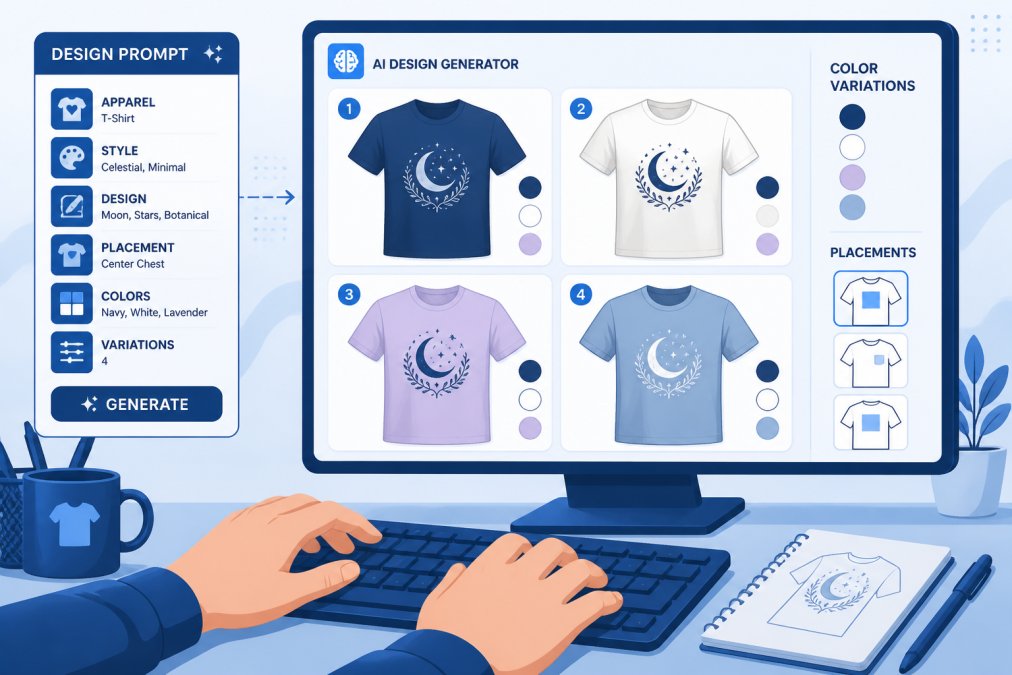
The most common mistake is vague prompts. "Cool t-shirt design" generates unpredictable results. "Minimalist geometric pattern with three overlapping circles in navy blue and white, centered on chest, suitable for screen printing" produces consistent, specific outputs.
Effective apparel prompts include five elements: style descriptor, subject matter, color palette, placement specification, and printing method. Specify whether you want "minimalist," "vintage," "abstract," or "photorealistic." Subject matter should be specific: "geometric pattern" is weaker than "interlocking hexagons in a honeycomb arrangement." List exact colors rather than "colorful." Prevent awkward compositions with placement specification: "centered on chest, leaving 2 inches margin from neckline and shoulders." Include printing method constraints: "suitable for DTG printing with high color saturation" or "designed for screen printing with maximum 4 color separations."
Advanced prompt engineering adds style references. "In the style of 1980s Memphis design" or "inspired by Japanese minimalism" guides the AI toward specific aesthetic directions. Include technical constraints: "high contrast suitable for 300 DPI printing" or "bold outlines for sublimation printing without color bleed."
Iterate systematically. Generate 10-15 variations with slightly different prompts, then refine based on results. Document prompts that produce results you want to recreate or modify. Build a prompt library organized by style, subject, and application to accelerate future design work.
Which Tool Should You Pick?
Your choice depends on three factors: production volume, technical requirements, and budget.
For creators producing occasional custom pieces or small merchandise runs, Vireous.Shop offers the most integrated solution. The platform combines DALL-E 3 API integration for unlimited design generation, production-ready file export, and direct print-on-demand fulfillment with same-day or next-day dispatch. You avoid managing separate tools for generation, file preparation, and production. The Absurdist Art, Cross Section of the Human Mind 'Designed by AI' Print on Canvas and Born to Feel, Meme Art 'Designed by AI', Print on Canvas exemplify the quality achievable through integrated AI design and production workflows.

For professional designers requiring advanced pattern generation and 3D visualization, specialized design platforms offer deeper technical capabilities. These tools provide more granular control over vectorization, pattern scaling, and garment simulation, but require manual file preparation and external production partnerships.
For teams managing high-volume merchandise production, enterprise platforms with API integration and batch processing capabilities justify the complexity. These tools connect directly to production systems and automate file conversion.
Start with the platform that matches your current volume and workflow. As your operation scales, you can migrate to more specialized tools without losing your design library.
Choosing the right AI tools for personalized apparel design determines whether your creative vision translates into production-ready products or remains stuck in mockup stage. The best approach combines AI generation with integrated production capabilities that handle file optimization, quality verification, and fulfillment. Vireous.Shop brings these elements together with DALL-E 3 integration, production-ready exports, and same-day dispatch, making it the most practical choice for creators and small teams launching custom apparel. Explore customization options and start creating your first design today.
Frequently Asked Questions
What is the best AI tool for personalized apparel design?
The best AI tool depends on your workflow and budget. Generative design platforms like DALL-E 3 integration offer unlimited design possibilities through natural language prompts, making them ideal for creators wanting complete customization. For apparel-specific work, tools that handle sketch-to-pattern generation and 3D garment visualization provide production-ready outputs. Consider whether you need print-on-demand integration, high-resolution export capabilities, or commercial licensing for resale.
How do I use an AI t-shirt design generator effectively?
Start with detailed text-to-design prompts describing style, colors, placement, and mood. Use specific art styles or references to guide the output. Test multiple prompt variations to refine results. Once generated, use high-resolution export features to ensure quality for DTG printing or sublimation. Check that files meet production specs (typically 300 DPI minimum, CMYK color mode). Iterate based on preview results before committing to production.
Are AI-generated apparel designs protected by copyright?
Copyright protection for AI-generated designs is complex. Under current law, designs generated entirely by AI may not qualify for copyright protection unless significant human creative input is demonstrated. However, designs combining AI generation with substantial human modifications typically receive protection. Always verify your tool's licensing terms, some platforms grant commercial licensing rights, while others restrict commercial use. For resale or merchandise, confirm you own the rights before production.
What file specifications do I need for AI apparel printing?
Most print-on-demand apparel services require vector files (AI, EPS, SVG) or high-resolution raster images (minimum 300 DPI at print size). Files should be in CMYK color mode for accurate color reproduction. Ensure designs account for garment placement (chest, back, sleeves) and include bleed areas. Check your printer's specific requirements for color separation and file format compatibility. Production-ready files prevent costly reprints and quality issues.
Can I sell merchandise using AI-generated designs?
Yes, but verify licensing first. Some AI design tools grant commercial licensing rights for a fee or subscription tier; others restrict commercial use entirely. Check your tool's terms of service and ensure you have rights to sell merchandise. Consider using platforms that handle both design generation and print-on-demand production, which typically manage licensing automatically. For independent creators, confirm you can legally resell designs before launching your brand merchandise.
This article was written using GrandRanker