

Table of Contents
- What AI Generated Art for Home Decor Actually Offers
- Best AI Art Generators for Printing High-Quality Wall Decor
- Matching AI Art to Your Interior Design Style
- How to Upscale AI Art for Large Wall Prints
- Customizing and Refining Your AI-Generated Designs
- AI Art Copyright Laws for Home Decor and Personal Use
- From Digital Design to Physical Wall Art
- Conclusion
Last Updated: August 12, 2026
What AI Generated Art for Home Decor Actually Offers
AI generated art for home decor has shifted from novelty to a legitimate design tool producing gallery-quality prints. Modern generative artificial intelligence creates cohesive, stylistically consistent artwork that works within actual interior design schemes, no longer limited to generic patterns or obvious digital artifacts.

The real value is unlimited creative possibility without traditional art market gatekeeping. You describe what you want, a specific mood, color palette, composition style, and the system generates original work that matches. No waiting for commissions, no compromise with retail availability, no significant cost barrier to owning multiple pieces.
At Vireous.Shop, this capability pairs with print-on-demand infrastructure that turns digital designs into physical wall art within days. The workflow is straightforward: generate or select a design, customize it, choose your print material and size, and receive a finished, ready-to-hang piece.
Quality depends on how you work with the system. A vague prompt produces vague results. Understanding aspect ratio, resolution requirements, and print specifications separates gallery-quality wall decor from disappointment.
Best AI Art Generators for Printing High-Quality Wall Decor
DALL-E 3, Midjourney, and Stable Diffusion dominate the space for generating wall art, each producing different aesthetic outcomes.
DALL-E 3 excels at following detailed, narrative prompts and leans toward polished, commercially-viable aesthetics. For home decor, this means less "experimental AI look" and more "intentional artistic direction." This engine powers Vireous.Shop's custom generation, integrated directly into the platform for seamless design-to-print workflows.
Midjourney produces stylized, artistic outputs with stronger visual coherence. If you're chasing a particular aesthetic, surreal digital painting or minimalist geometric, Midjourney often requires fewer iterations to nail the direction. The trade-off is less literal interpretation of specific instructions.

Stable Diffusion gives you the most control and lowest barrier to entry. It's open-source, runs locally, and costs nothing. For finished wall art, results are more inconsistent, but when it works, you own the output completely without licensing restrictions.
For print-ready wall decor, consider resolution output (at least 2048 pixels on the longest edge for large prints), aspect ratio flexibility, and upscaling compatibility.
Matching AI Art to Your Interior Design Style
A stunning digital image doesn't automatically work on your wall. It needs to align with your existing color palette, furniture style, and spatial composition.
Start by identifying your design aesthetic: minimalist, maximalist, industrial, bohemian, mid-century modern, contemporary, or eclectic. This filter determines which AI art will feel cohesive versus jarring.
Next, document your color palette. Photograph your walls, furniture, and accent colors in natural light. When writing AI prompts, reference these colors explicitly: "warm terracotta, cream, and deep teal" instead of "warm colors." This constraint improves results by giving the AI concrete direction.
Consider scale and composition. A small 8x10 print reads differently than a 36x48 statement piece. Generative art with fine detail works at small scales; it becomes noise at large sizes. Test by mocking up your generated image at actual size before ordering a print.
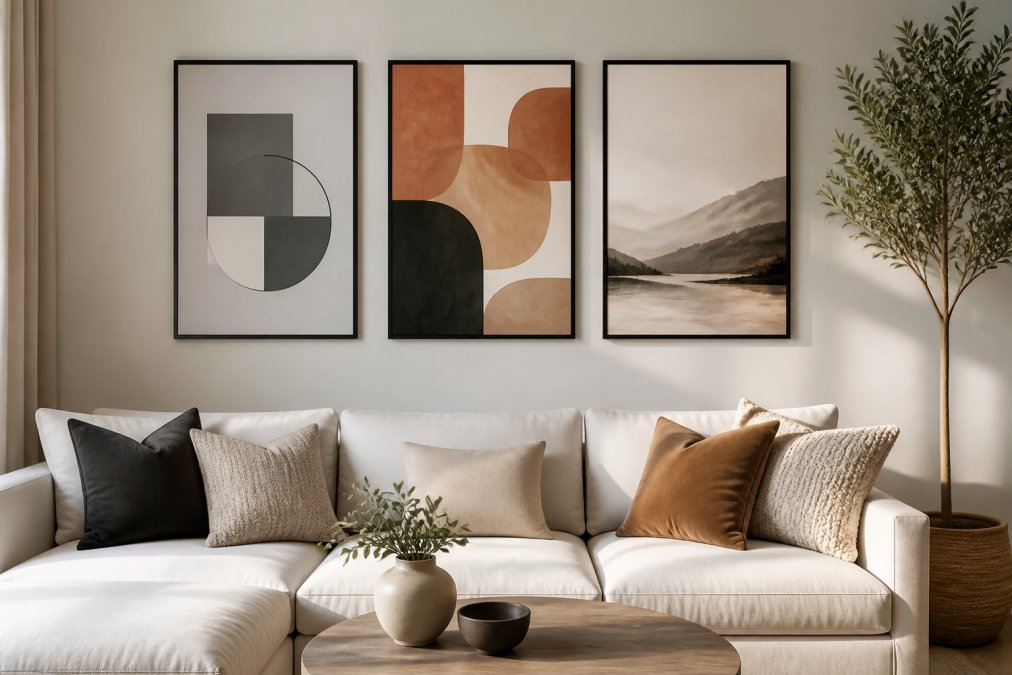
Generate three to five variations, export at full resolution, and view them on your wall using your phone's AR camera or small test prints. What looks good on screen often reads differently in physical space under your actual lighting.
How to Upscale AI Art for Large Wall Prints
Most AI generators default to 1024x1024 or 2048x2048 pixel outputs. For wall prints larger than 12x12 inches, you need higher resolution through upscaling.
Upscaling enlarges an image while preserving detail. AI-powered upscaling uses machine learning to predict detail at larger sizes, producing sharper results than traditional methods. Topaz Gigapixel AI and Real ESRGAN are the most reliable tools. Gigapixel AI offers a polished interface; Real ESRGAN is open-source and free.
Take your generated image at native resolution, run it through an upscaling tool set to 2x or 4x enlargement, and export at the enlarged resolution. A 2048x2048 image upscaled 2x becomes 4096x4096, printing cleanly at 24x24 inches or larger at 300 DPI.
Quality degrades with aggressive upscaling. A 2x upscale produces noticeably better results than 8x enlargement. For best results, generate at the highest resolution your tool allows, then upscale conservatively.
Professional print shops require 300 DPI for photographic quality. At 300 DPI, a 4096x4096 pixel image prints at approximately 13.65x13.65 inches. For a 24x24 inch print, you need at least 7200x7200 pixels.
Customizing and Refining Your AI-Generated Designs
Raw AI output rarely needs zero refinement. The most successful wall art involves intentional customization.

Start with prompt refinement. If your first generation is close but not perfect, adjust your language. Describe what's missing: "Add more contrast between foreground and background" or "Shift the color temperature toward warmer tones." Each iteration gets you closer to your vision.
Use inpainting tools for substantial changes. DALL-E 3 and Midjourney both support masking out specific regions and regenerating just those areas while keeping the rest intact. This fixes single elements without redoing the entire composition.
Aspect ratio flexibility matters for wall placement. Most generators default to square (1:1) or landscape (16:9). Your wall might need portrait (3:4) or panoramic (2.35:1) orientation. Stable Diffusion gives complete control; DALL-E 3 supports common ratios but not custom ones.
Color grading is another refinement layer. If your generated image is close but saturation or color temperature is off, basic photo editing in Lightroom or Photoshop takes minutes and dramatically improves cohesion with your space.
Strategic cropping can improve composition. If your generated image has the right elements but awkward framing, cropping eliminates weak areas while maintaining strong focal points.
AI Art Copyright Laws for Home Decor and Personal Use
For personal, non-commercial use, copyright issues are unlikely. If you generate AI art using a tool you have legitimate access to and use it solely for your own home decor or personal gifts, you're in the clear.
Complexity emerges if you try to sell the art, use it commercially, or claim it as your own original creation professionally. Most AI generation tools' terms of service specify that you own the outputs you generate. DALL-E 3 grants rights to use and modify outputs for commercial purposes. Midjourney similarly grants commercial rights to paid subscribers.
For home decor, you're in the clear. You're not distributing the work or claiming it as handmade art. You're using a digital tool to create something for your personal space. This falls squarely into personal use.
Where caution matters: if you're a content creator using AI art as part of your brand aesthetic, document what tools you used. If you're selling products incorporating AI art, verify your tool's commercial license explicitly. For Vireous.Shop customers, the platform handles this, you generate designs, customize them, and receive finished products with clear ownership.
Generative artificial intelligence output is treated as original work created by the user under current interpretation. You're not copying someone else's art; you're using a tool to create something new.
From Digital Design to Physical Wall Art
The journey from screen to wall involves several decisions that directly impact the final result.
Choose your print medium. Canvas is most popular for AI art because it adds texture and reduces the "printed photo" appearance. Matte canvas diffuses light evenly; satin canvas adds subtle sheen and deeper color saturation.
Paper prints are lighter, more affordable, and work well for smaller pieces or gallery walls. Metal and acrylic prints are premium options that create visual depth and durability, with vivid colors and contemporary aesthetics.
Size selection drives impact. A 12x12 inch print feels like an accent; a 24x36 inch print becomes a focal point; a 48x48 inch or larger dominates a wall. Match scale to your wall size and room function.
Frame selection affects final presentation. Floated frames work well for canvas; traditional frames suit paper prints; frameless presentations create a gallery feel. Your interior design style should guide this choice.
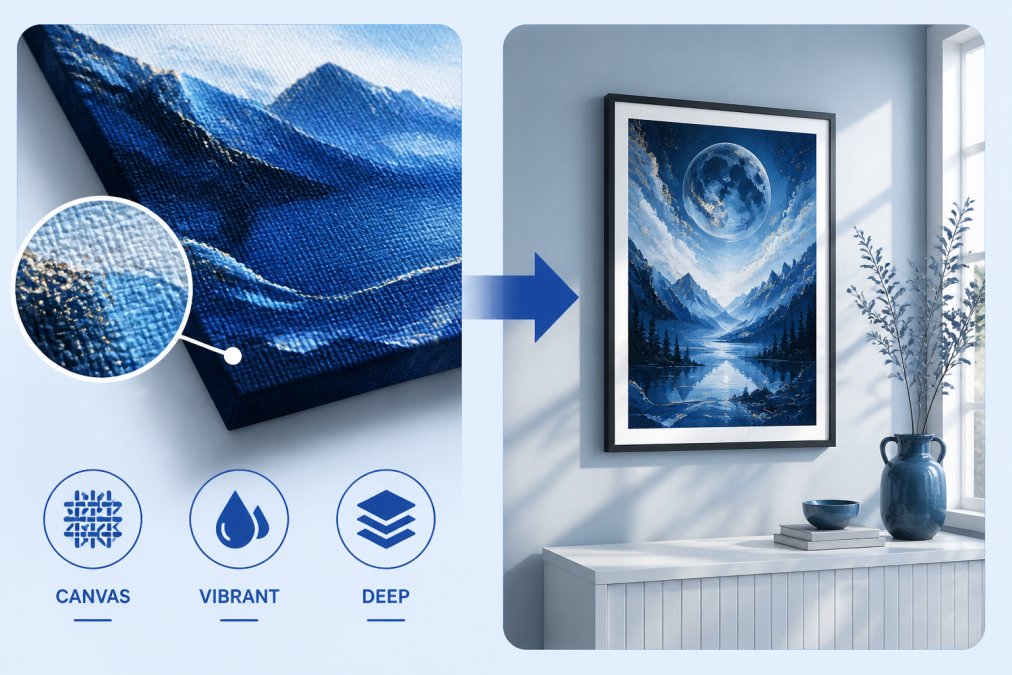
Installation matters more than expected. Use a level and measure twice. For large pieces, consider professional installation. Vireous.Shop handles production and shipping directly, you design, customize specifications, and receive a finished, ready-to-hang piece.
The shift toward AI generated art for home decor represents a genuine change in how people approach personalization. You're no longer constrained by what exists in retail or what you can afford from traditional artists. The tools are accessible, the quality is legitimate, and customization possibilities are genuinely unlimited. Understanding prompts, resolution, upscaling, and design principles takes intention, but it's learnable. Start with Vireous.Shop's curated collection to see finished examples, then move to custom generation once you understand what you're looking for. Your walls don't have to match everyone else's.
Frequently Asked Questions
How do I know the AI-generated art preview will match what I receive as a printed canvas?
Quality platforms like those powered by DALL-E 3 API provide high-fidelity previews that accurately represent your final print. When you customize your design through prompt engineering, the preview shows exact color accuracy and composition. Reputable print-on-demand services handle the upscaling and printing process to maintain that fidelity. Always verify the resolution meets your print size requirements before ordering.
What are the copyright considerations when using AI-generated art for home decor?
For personal home use, AI-generated art created through commercial platforms typically grants you rights to display the artwork in your home. However, copyright ownership varies by platform and terms of service. If you plan to sell merchandise featuring AI art or use it commercially, review the specific copyright laws and licensing terms. Most print-on-demand services clarify whether you own reproduction rights or just display rights for your purchased print.
Can I upscale low-resolution AI art to make large wall prints without losing quality?
Yes, but the process matters. Modern upscaling tools use artificial intelligence to intelligently expand images while preserving detail and sharpness. Start with high-resolution AI generation (at least 1024x1024 pixels), then use specialized upscaling software if needed for very large prints. For prints larger than 24 inches, generating at higher resolutions initially produces better results than upscaling afterward. Professional print services can advise on ideal resolution for your specific wall dimensions.
What makes AI-generated wall art different from traditional prints or generic mass-market decor?
AI-generated art offers unlimited customization through natural language prompts, creating truly one-of-a-kind pieces tailored to your aesthetic preferences. Unlike mass-produced wall art, each design reflects your specific vision. The combination of generative artificial intelligence with print-on-demand technology means you can iterate on designs, match exact interior design themes, and create bespoke art that no one else owns. This personalization transforms generic wall space into a reflection of your individual style.
This article was written using GrandRanker